Postman Review: Free, Solo and Team Plans After the March Price Change
Postman review: Free, Solo ($9) and Team ($19/user) plans after the March 2026 change, monitoring and AI credit limits, the account requirement, export limits and the best alternatives.
Expert Review

What changed in 2026
Postman changed a lot in 2026. On March 1, 2026 the old Free, Basic, Professional and Enterprise plans were replaced by Free, Solo, Team and Enterprise. The same day, version 12 shipped a redesigned "agent-first" app with native Git and a new YAML collection format. If you last priced Postman in 2025, most of what you remember is wrong.
The change that matters most for small teams takes one line in Postman's own announcement: after the switch, "the Free plan is limited to one user and can't create a team". Two developers who used to share a free workspace now pay for Team, starting at $19 per user per month. Basic ($14) and Professional ($29) still exist, but only as grandfathered plans for accounts that already had them. New buyers cannot choose them.
The new plans also removed a limit people complained about for years. Collection runs and mock servers are now unlimited on every new plan, Free included. The grandfathered Basic and Professional plans still stop at 25 collection runs per user per month, and Postman's own fix for that is to move to Solo or Team.
Pricing and plan limits
These figures were checked on Postman's pricing page and help center in September 2026. The annual toggle says "Save up to 25%". That is true for Solo ($9 vs $12). On Team, the plan most buyers need, the saving is only 17% ($19 vs $23).
| Free | Solo | Team | Enterprise | |
|---|---|---|---|---|
| Price, billed annually | $0 | $9/month | $19/user/month | Contact sales |
| Price, billed monthly | $0 | $12/month | $23/user/month | Contact sales |
| Users | 1 | 1 | Unlimited | Unlimited |
| Monitoring requests/month | 1,000 | 10,000 | 10,000 per team | 10,000 per team |
| AI credits/month | 50 | 400 | 400 per user | 800 per user, pooled |
| Postman API calls/month | 10,000 | 100,000 | 1 million | 10 million |
| Deleted collection recovery | 1 day | 30 days | 90 days | 90 days |
| Integrations | Up to 5 | Up to 10 | Up to 50 | Up to 100 |
The Team monitoring allowance is shared by the whole team, not given to each seat. One monitor that calls a single endpoint every five minutes makes about 8,640 requests in a 30-day month. That leaves roughly 1,400 requests for everything else your team monitors. Beyond that you pay $0.75 per 1,000 calls, or buy the add-on at $20 per 50,000 requests. On Free, monitoring just stops: "Your usage of Monitoring is automatically blocked when you reach the limit."
The price of a five-person team goes up in steps. Five Team seats cost $1,140 a year on annual billing, or $1,380 if you pay monthly. SSO/SAML is not included on Team. It is the "Simple Security" add-on at $6 per user per month and must be enabled for every licensed user, so the same five people with SSO cost $1,500 a year. Postman does not publish Enterprise pricing. Costbench, a third-party tracker, reports about $49 per user per month billed annually. It also reports that you cannot downgrade mid-term and that "Auto-Flex" seat billing has surprised some customers.
Agent Mode and the AI credit meter
Postman calls Agent Mode its "hands-on AI development partner". Instead of telling you what to do, it builds requests, writes tests and generates documentation inside your workspace. It is available on every plan, Free included. On non-Enterprise plans each user turns it on or off under Settings > AI.
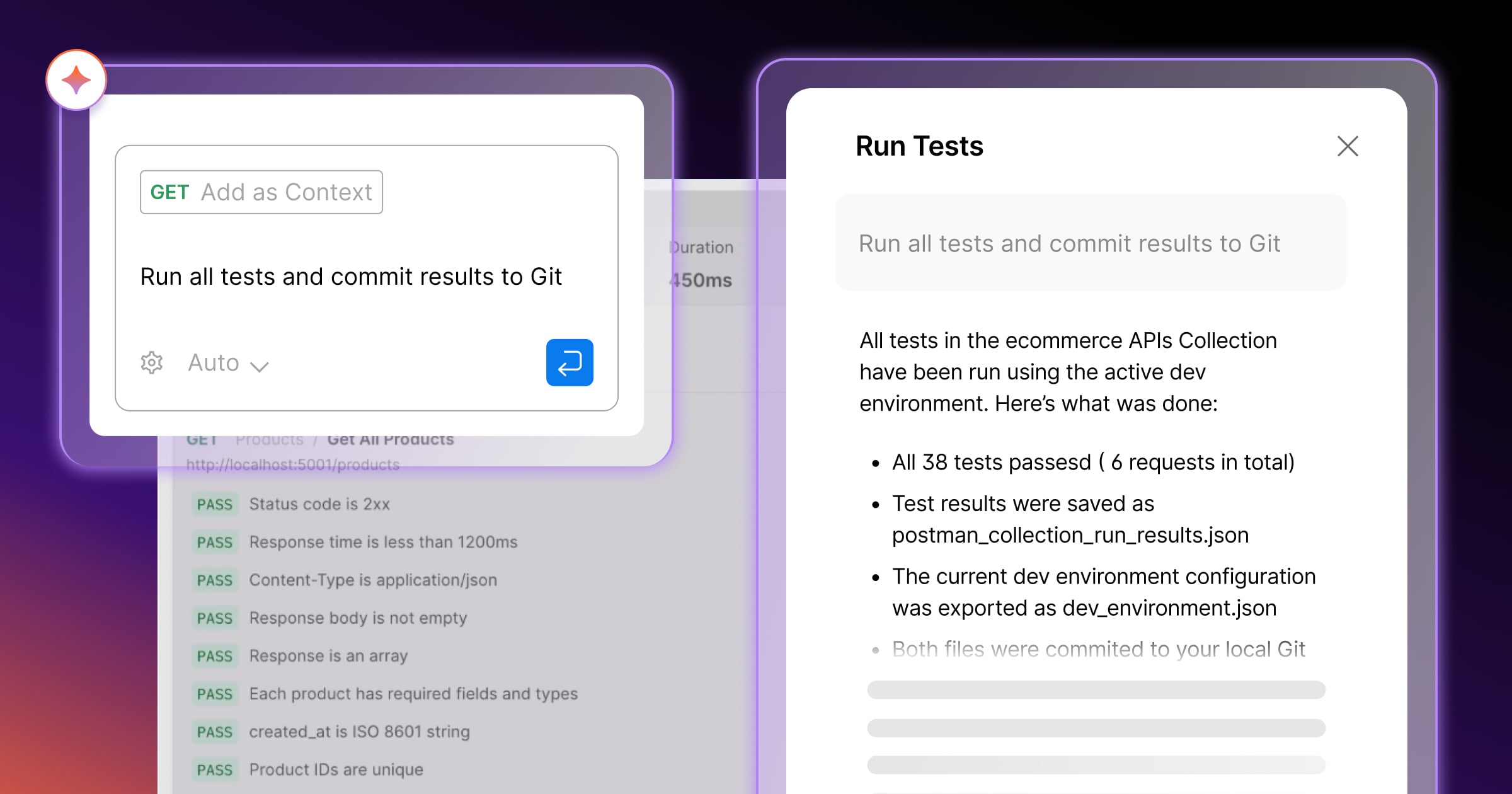
What limits it is the credit meter. Free gets 50 credits a month and cannot buy more. Its only option is a separate Postman AI Add-on, which gives 400 credits per user, and Postman does not publish its price. Solo and Team get 400 credits per user. Extra credits cost $0.05 each on Solo and $0.04 on Team. Postman does not say how many credits one Agent Mode task uses, so you cannot tell in advance how far 400 credits will go. Watch the usage page for the first month before you commit a team to it.
Before you paste production payloads into it, check the data terms. Postman's AI terms as of August 2025 gave Postman a licence to use the inputs and outputs of non-Enterprise customers "in a deidentified manner for the purposes of training Postman's artificial intelligence models". Enterprise inputs "will not be used for training". We could not confirm whether the current terms still say this. If it matters to you, read the live terms before you switch Agent Mode on.
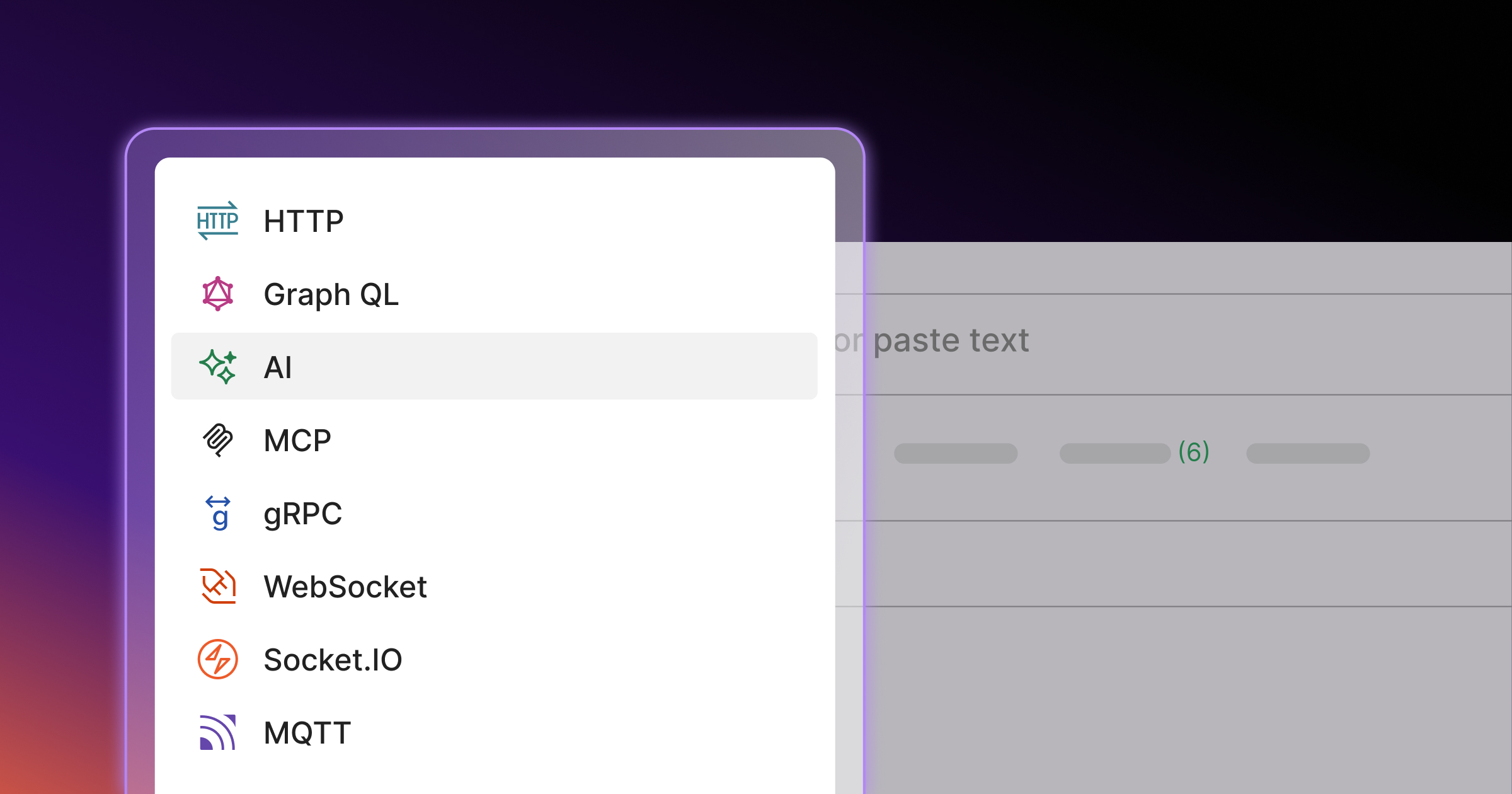
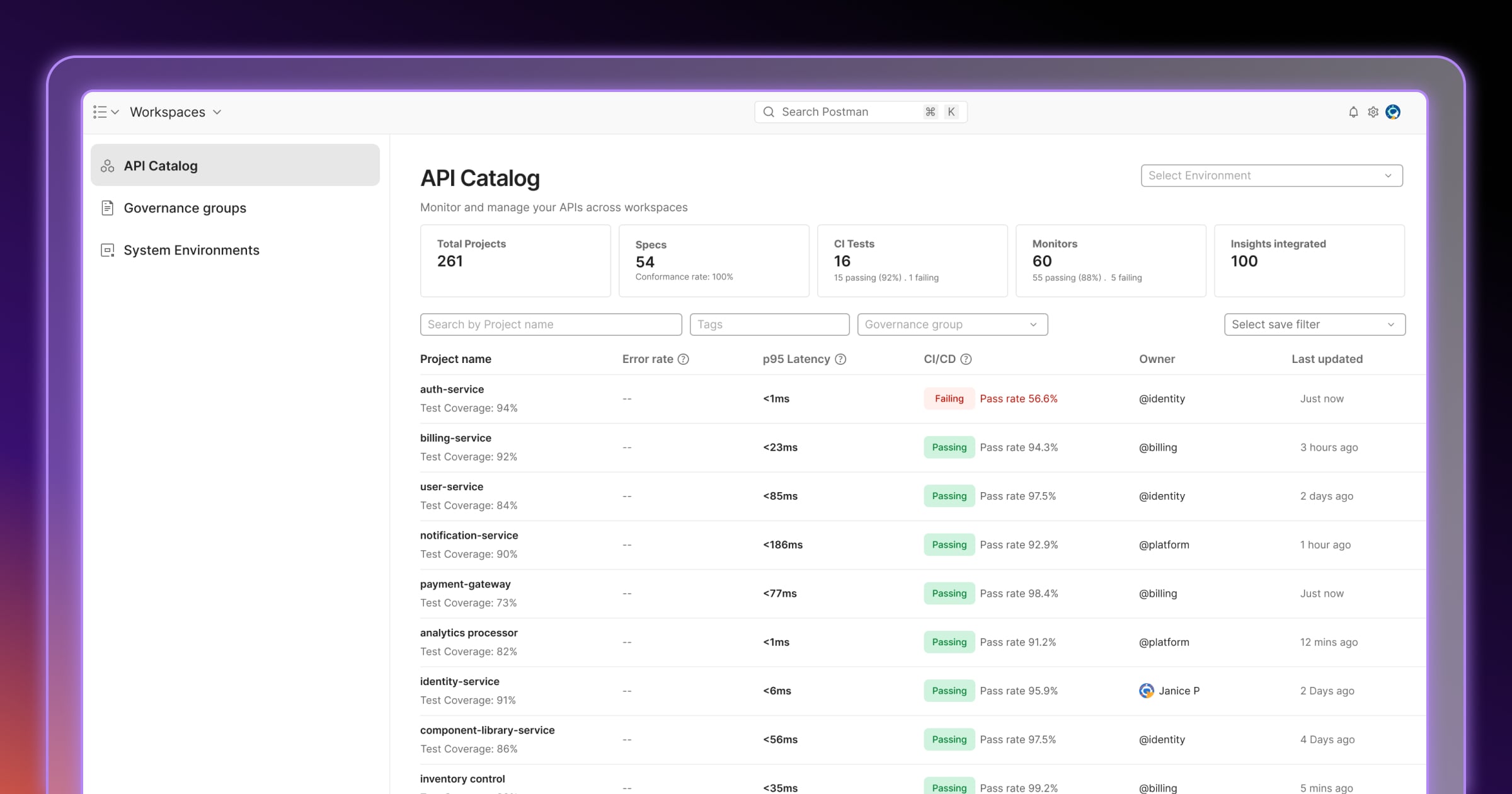
The rest of v12 is broader than the AI features. One client handles HTTP, GraphQL, gRPC, MCP, MQTT, WebSockets and AI requests. Mock servers can run locally and in CI. Team and Enterprise buyers also get an API Catalog and Git sync for the Private API Network.
The account, offline use and getting your data out
Users have been criticising Postman's cloud model for years. Postman's help center puts it this way: "Postman is a cloud-based platform that syncs your work when you're signed in." Scratch Pad, the offline mode that needed no account, was removed from new downloads on May 15, 2023 and reached end of life on September 15, 2023. Postman said that maintaining two architectures took "2x-4x the amount of time". Its replacement, the Lightweight API Client, has no collections or environments. Only your history moved over to it. Around the same time, a Hacker News thread titled "Postman update removes all your stuff if you refuse to create account" reached 365 points. The comment that best sums up the complaint: "Creating yet-another-account for yet-another-app is high friction...99% of the time I'm just going to stop using your app." Another commenter disputed that anyone's data was actually deleted.
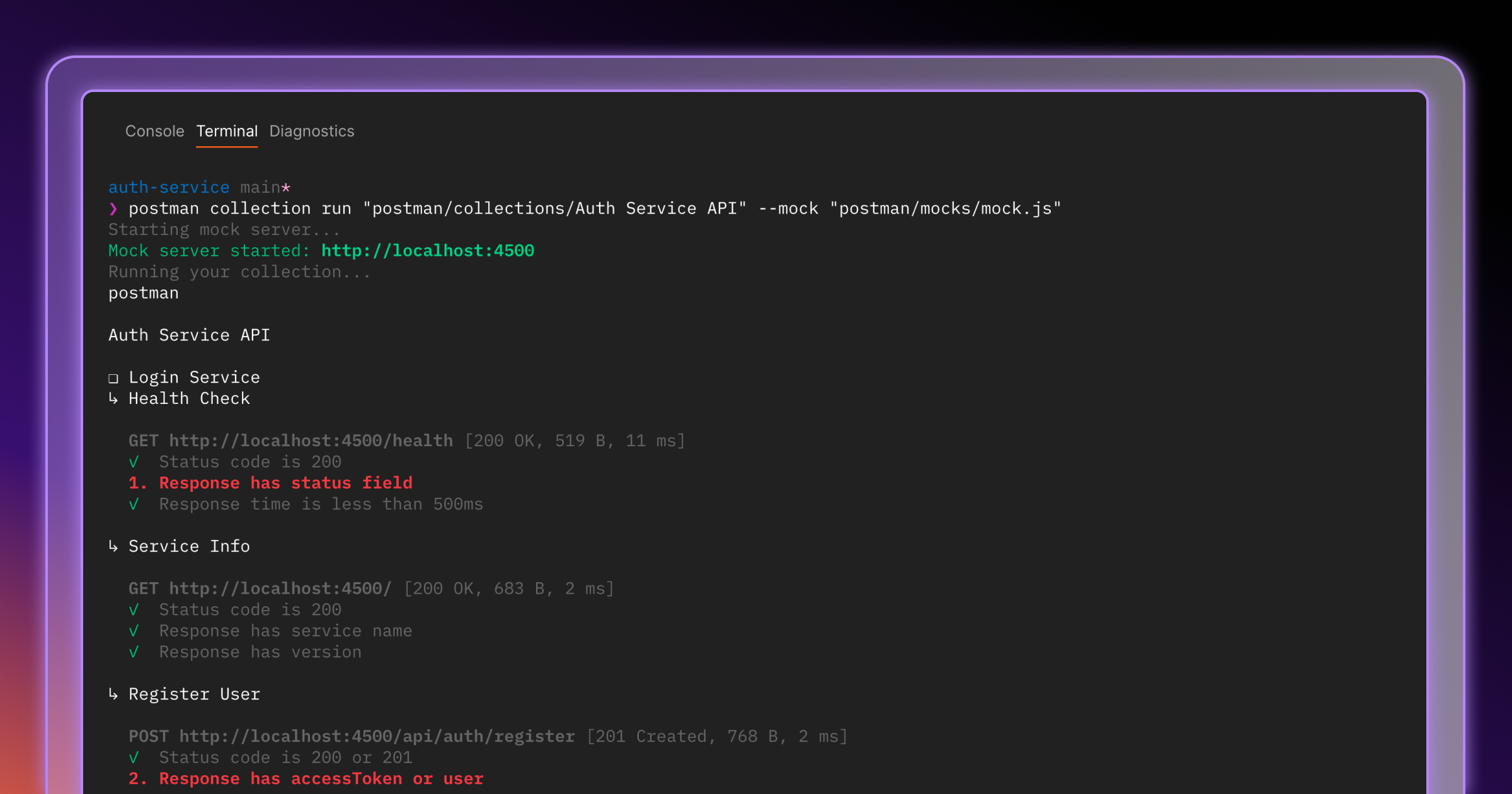
Version 12 answers part of this. Collection v3 stores collections as separate YAML files instead of one large JSON file, so a pull request shows changes line by line. The Postman CLI (npm install -g postman-cli) runs the same collections, tests and mocks on your laptop and in CI. But native Git still requires you to sign in. For a Git-first workflow with no account, Postman is still the wrong tool.
Moving out is possible, but plan for two limits. You can export a single collection as Collection v2 or v2.1 JSON, and most competitors import that format. The bulk export of every collection and environment can only be run by Admins and Super Admins, and its download link expires after two days. Check who holds the Admin role before you set a migration date.
Some teams also need their data kept in the EU. The only EU data residency option is an instance in Frankfurt (eu-central-1), and only Enterprise customers can use it. Some features, including the Public API Network and Live Sessions, are not available there. The Electron desktop app is also often called heavy. Apidog, a competitor, reports over 500 MB of RAM and a 6 to 9 second startup. Because Apidog sells a rival product, treat those numbers as a direction to check rather than a benchmark.
Postman alternatives worth pricing
Every competitor below lets two people collaborate for less than Postman Team, and two of them are open source. Prices were checked on each vendor's pricing page in September 2026.
| Tool | Free tier | Paid, per user/month | Where it beats Postman | Where it loses |
|---|---|---|---|---|
| Postman | 1 user, unlimited runs | $19 Team (annual) | Monitors, mocks, API Catalog, Agent Mode | Needs an account for most features |
| Bruno | Open source, $0 | $6 Pro / $11 Ultimate (annual) | Collections are plain files in your repo; no account, works offline | No hosted monitoring |
| Insomnia (Kong) | Git Sync for up to 3 users, 1,000 mock requests/month | $12 Pro / $45 Enterprise | Free for a three-person team | The 1,000 mock requests run out fast |
| Hoppscotch | $0, self-hostable | $6 Business / $11 Enterprise (annual) | Open source, runs on your own server | Smaller ecosystem of integrations |
| Thunder Client | 250 collection runs per user/month | $3 Starter / $7 Business / $16 Enterprise (annual) | Runs inside VS Code | Only useful if your whole team uses VS Code |
Verdict: who should pay for Postman
Buy Postman Team if your organisation already works in shared collections, mock servers and monitors, and wants Agent Mode and the API Catalog on top. Nothing on the list above covers as much of the API lifecycle, and the $19 per seat is small next to the cost of rebuilding hundreds of collections somewhere else. Budget $25 per seat if you need SSO, and more if your monitors run often.
Solo developers can keep the Free plan. It still gets unlimited collection runs and mocks. Pay the $9 for Solo only if you need 30-day collection recovery or more than 50 AI credits a month.
Skip it if you want your collections offline, in Git and without an account. Bruno does that for $0, with a $6 Pro plan if you want the paid features. Also skip it if your two-person team would be paying $38 a month only to share requests. Insomnia's free tier covers up to three users with Git Sync, and Thunder Client costs $3 per seat if everyone already uses VS Code. Teams that need to self-host an open-source tool should look at Hoppscotch.
Ready to try Postman?
Visit the official website to see the latest plans, pricing, and special offers.
Get Started - Postman* Affiliate link - we may earn a commission at no extra cost to you.