VEED.io Review 2026: The AI Video Editor Worth Trying?
VEED.io review 2026: an in-depth look at the AI video editor's features, pricing, avatars, auto subtitles, and whether it's worth it for creators.
Expert Review

What is VEED.io?
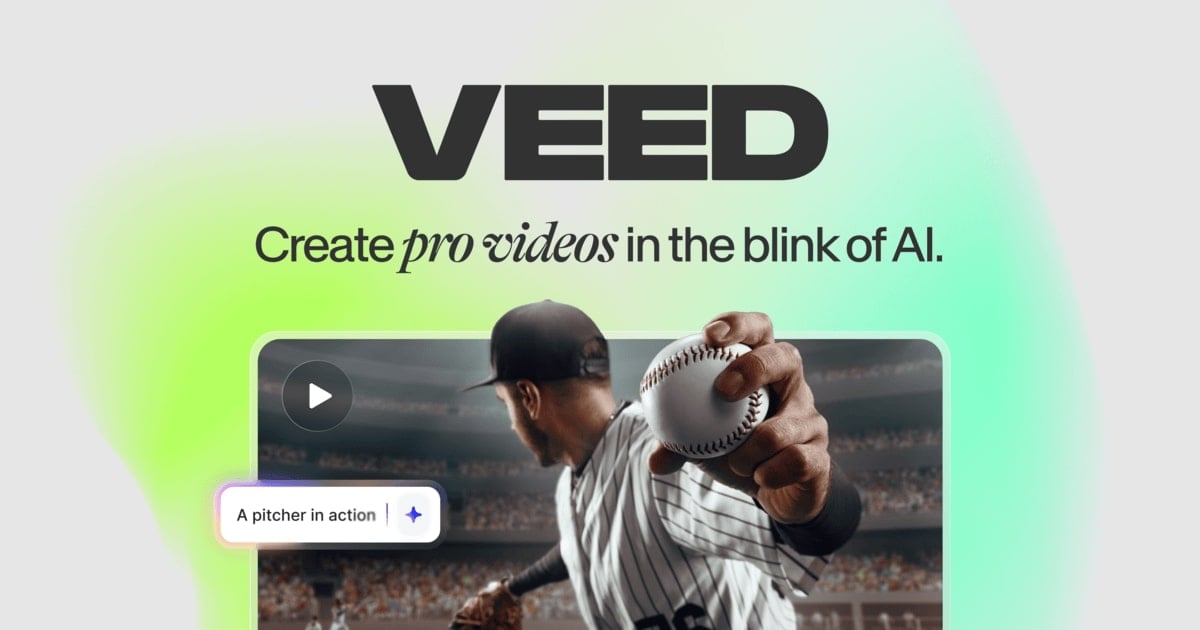
VEED.io is a browser-based video editing platform that combines a traditional timeline editor with a deep set of AI tools. Instead of downloading heavy desktop software, you work entirely in the browser — trimming clips, adding text, layering music, and exporting finished videos without ever installing an application. What sets VEED apart from a basic online trimmer is how much of the tedious work it automates: generating subtitles, removing backgrounds, cleaning up audio, creating talking-head avatars, and even turning a written script into a finished video.
The platform is aimed at a broad audience — social media creators, marketing teams, educators, podcasters, and remote-first businesses that need to produce polished video quickly. If you have ever wanted the results of a professional editor without the learning curve of tools like Premiere Pro or DaVinci Resolve, VEED positions itself squarely in that gap.
Benefits of Using VEED.io
Using VEED.io offers several practical advantages for anyone producing video content:
- No Installation Required: Everything runs in the browser, so there is nothing to download and it works on almost any modern computer regardless of operating system.
- Beginner-Friendly: The interface is clean and intuitive, letting first-time editors produce a shareable video in minutes rather than hours.
- All-in-One Toolkit: Editing, recording, subtitles, translation, and AI generation live under one roof, removing the need to juggle multiple apps and subscriptions.
- Massive Time Savings: Tasks that traditionally take an editor hours — captioning, dubbing, cleaning audio — are handled automatically in seconds.
- Team Collaboration: Projects live in the cloud, so teammates can review, comment, and edit from anywhere without shipping large files back and forth.
- Consistent Branding: A Brand Kit keeps colors, fonts, and logos uniform across every video your team ships.
AI Features of VEED.io
-
Auto Subtitles & Captions
VEED automatically transcribes your video and generates accurate, editable subtitles in seconds, with support for dozens of languages. You can restyle captions, add animated word-by-word highlights, and burn them directly into the video — a huge win for social feeds where most viewers watch without sound.

-
AI Avatars
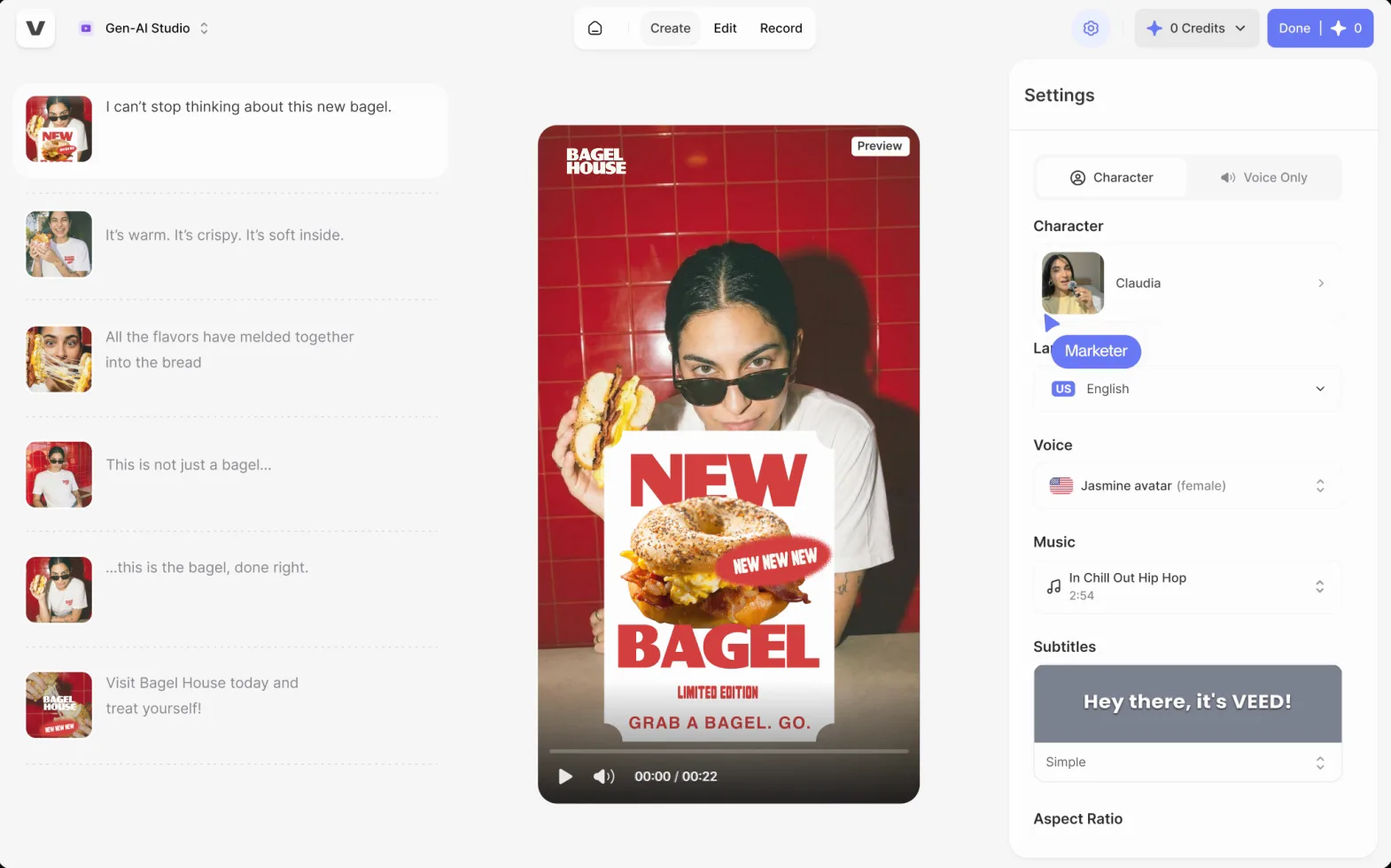
Turn a script into a presenter-led video without a camera. VEED's AI avatars deliver your text as a lifelike talking head in a range of appearances and voices, making it easy to create training clips, explainers, and product updates at scale.

-
Text-to-Video & Image-to-Video
Type a prompt or paste a script and VEED assembles a complete video — scenes, footage, captions, and voiceover included. It taps modern generative models to convert ideas or still images into motion, giving creators a fast starting point they can refine on the timeline.
-
AI Translation & Dubbing
Localize content for global audiences by translating subtitles and dubbing audio into other languages while preserving the original speaker's tone. This makes one recording reusable across dozens of markets without re-shooting.

-
Background Removal
Remove or replace a video background instantly — no green screen needed. VEED isolates the subject with a single click, so you can drop yourself onto a clean backdrop or a branded scene in moments.

-
Screen Recorder
Record your screen, webcam, or both directly in the browser, then edit the footage right away in the same workspace. It is ideal for tutorials, demos, and remote presentations where you want capture and editing in one flow.

-
Clean Audio & AI Voice
One click removes background noise, hum, and echo to make voices sound studio-clear. VEED also offers AI voice generation and text-to-speech, so you can add professional narration without recording a single word yourself.

-
Eye Contact Correction & Auto Clips
AI eye-contact correction subtly adjusts your gaze toward the camera when you glance at your notes, while auto-clipping scans long recordings and pulls out the most shareable moments as ready-to-post short clips.


Pricing of VEED.io
VEED.io offers a free tier plus several paid plans. Exact prices shift over time and depend on annual versus monthly billing and the number of seats, but the tiers generally break down as follows (USD, billed annually):
- Free: $0 — A solid way to try the editor. Includes core editing and AI tools, but exports carry a VEED watermark, are capped at 720p, limit videos to around 10 minutes, and cap monthly AI usage.
- Basic (Lite): roughly $18 per month — Removes the watermark, unlocks higher-quality exports and longer videos, and raises AI limits. Aimed at solo creators.
- Pro: roughly $30 per month — Adds up to 4K exports, longer videos (around 2 hours), and the full AI suite including Clean Audio and Eye Contact correction. The sweet spot for serious creators.
- Business / Enterprise: from roughly $59 per user per month (custom for Enterprise) — Team collaboration, Brand Kit, more storage and AI credits, plus priority support and admin controls for organizations.

Prices are approximate and change periodically — confirm current tiers at: https://www.veed.io/pricing
Real-World Use Case Analysis
-
Social Media Creators
Short-Form Video: Creators shipping daily content for TikTok, Reels, and Shorts benefit most from VEED's auto subtitles and animated captions, which drive the silent-scroll engagement these platforms reward.
Repurposing Long Content: The auto-clip feature turns a single long recording — a livestream or podcast — into a week's worth of shareable shorts, dramatically cutting editing time.
-
Marketing Teams
Product & Ad Videos: Marketers can spin up polished promo clips using AI avatars and text-to-video, then keep everything on-brand with the Brand Kit for consistent colors, fonts, and logos.
Scaling Localization: AI translation and dubbing let a team turn one hero video into localized versions for multiple regions without booking voice actors or re-shooting, stretching a campaign budget much further.
-
Remote Work & Education
Training & Explainers: The built-in screen recorder plus AI avatars make it simple to produce onboarding videos, tutorials, and course modules with a consistent presenter and clear narration.
Async Communication: Distributed teams can record quick screen walkthroughs, auto-caption them for accessibility, and share a link instead of scheduling another meeting.
-
Podcasters
Video Podcasts: Clean Audio removes room noise and hum so episodes sound professional, while subtitles make audio content searchable and accessible.
Audiogram Clips: Podcasters can carve standout moments into captioned, waveform-style clips built for social promotion — a proven way to grow an audience between episodes.
Pros and Cons of VEED.io
-
Advantages of Using VEED.io
VEED.io delivers meaningful strengths:
- Genuinely easy to learn — beginners can produce a finished video the same day.
- An unusually broad AI toolkit covering subtitles, avatars, dubbing, background removal, and audio cleanup in one place.
- Fully browser-based with cloud storage and real-time team collaboration.
- Fast, accurate auto subtitles and translation across many languages.
-
Disadvantages of Using VEED.io
A few limitations are worth weighing:
- The free plan's watermark, 720p cap, and short length limit push most serious users toward a paid tier.
- AI features consume monthly credits, so heavy generative use can mean upgrading or paying more.
- Advanced editors may find the timeline less powerful than dedicated desktop software like Premiere Pro or DaVinci Resolve.
- Performance depends on a stable internet connection since everything runs in the browser.
Final Thoughts on VEED.io
VEED.io is one of the most complete browser-based video editors available in 2026, and its real strength is breadth: it folds subtitles, avatars, text-to-video, translation, background removal, screen recording, and audio cleanup into a single, approachable workspace. For social media creators, marketing teams, educators, and podcasters who value speed and simplicity over frame-level control, it is an excellent fit — the free plan is a genuine way to test it before committing, and the Pro tier unlocks nearly everything most creators will ever need. If your work demands cinematic, timeline-heavy edits you may still lean on desktop software, but for turning ideas into shareable, professional video quickly, VEED is well worth a try.
Related comparison: See how VEED.io compares in Klap vs Vizard vs VEED: Best AI Tool to Turn Long Videos Into Shorts? — or browse all comparisons & best-of guides.
Ready to try VEED.io?
Visit the official website to see the latest plans, pricing, and special offers.
Get Started - VEED.io* Affiliate link - we may earn a commission at no extra cost to you.