Vizard AI Review: Turn Long Videos into Viral Clips in 2026
Vizard AI review 2026: features, pricing, and how it turns long videos into short, social-ready clips with AI captions and auto-reframing.
Expert Review

What is Vizard AI?
Vizard AI is an AI-powered video editing platform built to solve one specific, painful problem: turning long-form video into short, social-ready clips without spending hours in a timeline editor. You feed it a webinar, podcast, interview, or YouTube upload, and Vizard automatically finds the most engaging moments, cuts them into standalone clips, reframes them to vertical, and burns in animated captions — often in a couple of minutes.
It is aimed at creators, marketers, agencies, and social teams who need a steady stream of TikToks, Instagram Reels, and YouTube Shorts but do not have the time (or the editors) to produce them by hand. Rather than being a full replacement for Premiere Pro, Vizard is a repurposing engine that sits at the top of your content funnel.
Benefits of Using Vizard AI
Using Vizard AI offers several concrete advantages for anyone producing video at scale:
- Massive time savings: A one-hour recording can produce a batch of ready-to-post clips in minutes instead of a full afternoon of manual editing.
- More content from what you already have: Every long video becomes 5–20 short clips, multiplying your output without filming anything new.
- No editing skills required: The AI handles cutting, reframing, and captioning, so social managers can ship clips without touching a professional editor.
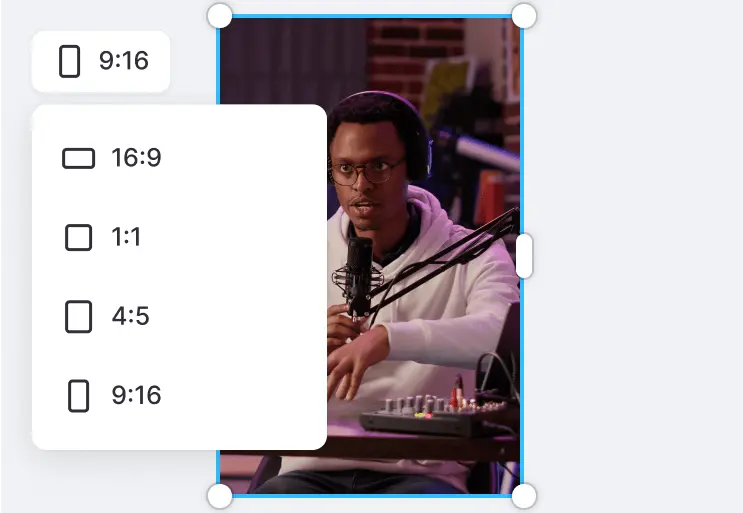
- Platform-ready formatting: Clips come out in 9:16, 1:1, or 16:9 with captions already styled for silent, mobile-first viewing.
- Consistent branding: Templates, brand kits, and caption styles keep every clip on-brand across accounts.
- Multilingual reach: Transcription and caption translation across 100+ languages help you repurpose content for global audiences.
AI Features of Vizard
-
AI Clipping & Highlight Detection
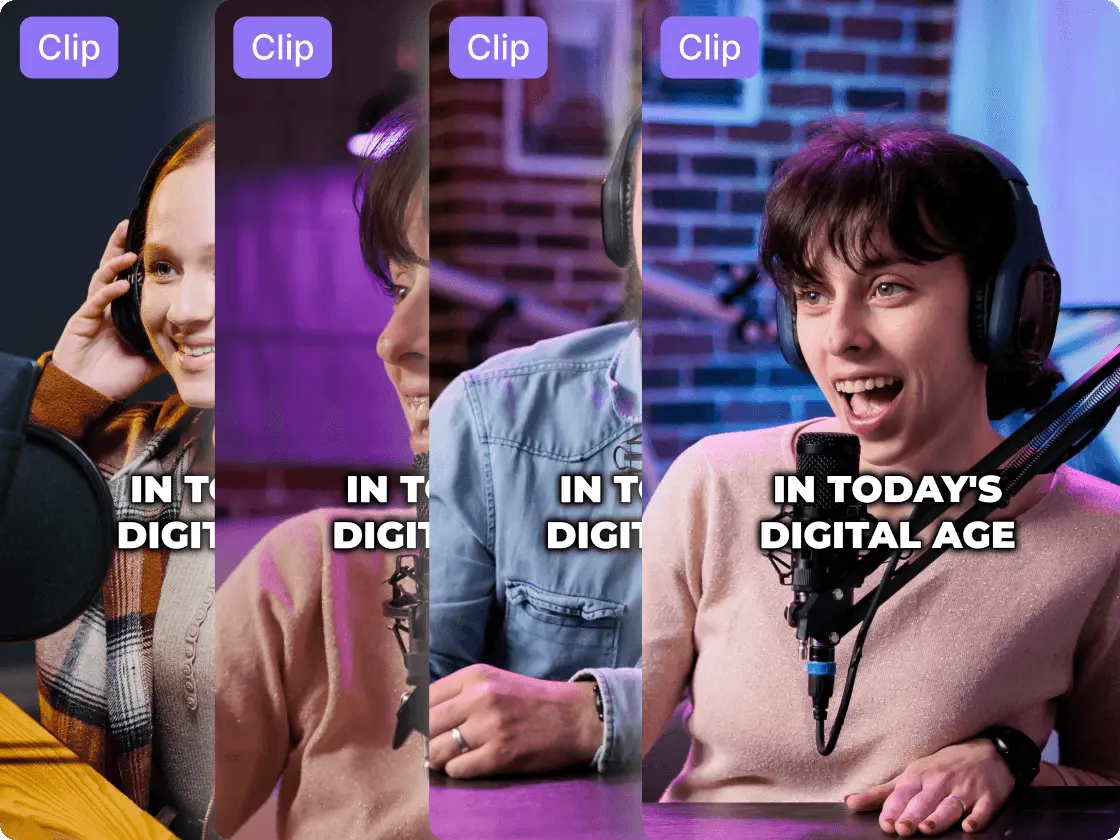
Vizard's core feature scans your full video, transcribes it, and uses AI to identify the segments most likely to perform — quotable moments, strong hooks, and self-contained ideas. It then assembles them into individual clips with a virality-style score to help you prioritize what to post first.
-
Auto-Reframing to Vertical
Instead of manually keyframing a crop, Vizard tracks the speaker and automatically reframes horizontal footage into vertical or square formats, keeping faces and action centered so your clips look native on TikTok, Reels, and Shorts.
-
Animated Captions & Subtitles
Every clip gets accurate, auto-generated captions with animated, word-by-word highlighting — essential when most social video is watched on mute. Caption styles, fonts, and colors are fully customizable to match your brand.

-
Text-Based Editing
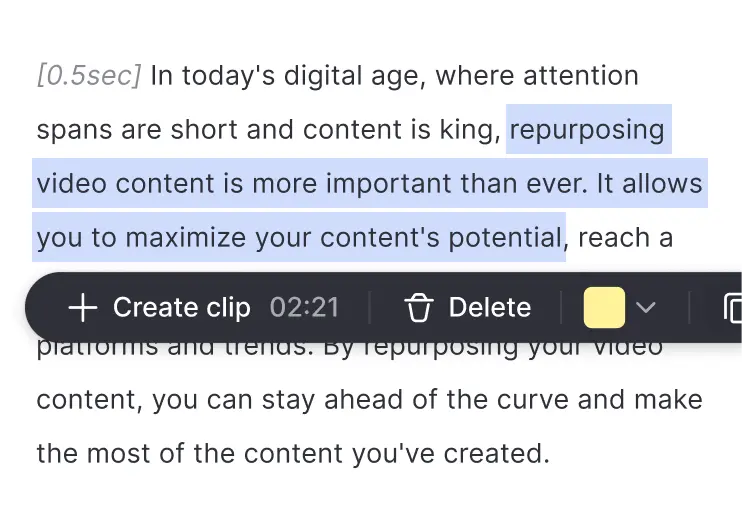
Vizard transcribes your video so you can edit it like a document — delete a sentence in the transcript and the corresponding footage is removed. Trimming filler words and tightening pacing becomes as easy as editing text.
-
B-Roll, Templates & Brand Kit
Add AI-suggested b-roll, apply reusable templates, and lock in fonts, colors, and logos with a brand kit so a whole batch of clips stays visually consistent without manual restyling.

-
Scheduling & Team Collaboration
Beyond editing, Vizard lets you schedule and publish clips to connected social accounts and share workspaces with teammates — handy for agencies managing content across multiple brands.


Pricing of Vizard AI
Vizard AI runs on a credit-based model, where credits roughly correspond to the length of video you upload and process. Plans are billed monthly or annually (annual billing is significantly cheaper):
- Free Plan: $0/month — around 60 credits (about 60 minutes of upload per month), 720p exports, and a Vizard watermark. Good for testing the workflow.
- Creator Plan: about $29/month billed monthly (roughly $14.50/month billed annually) — removes the watermark, unlocks 4K exports of unlimited length, up to 6 connected social accounts, scheduling, and brand kit.
- Business Plan: about $39/month billed monthly (roughly $19.50/month billed annually) — shared workspaces, more connected accounts, priority processing, and team collaboration.
- Enterprise: Custom pricing — higher volume, API access, and dedicated support for large teams.

Full, up-to-date details at: https://vizard.ai/pricing
Real-World Use Case Analysis
-
Content Creators & Podcasters
Podcast Clips: A single podcast episode can produce a week's worth of short clips for TikTok and Shorts, letting solo creators stay consistent on social without hiring an editor.
YouTube Repurposing: Long-form YouTubers use Vizard to spin every upload into Shorts that funnel new viewers back to the main channel.
Speed vs. Polish: For high-volume daily posting, Vizard's automation is a huge win; for a hero video where every frame matters, a manual editor still has the edge.
-
Marketing Teams & Agencies
Webinar Repurposing: Marketing teams turn hour-long webinars into dozens of lead-generating clips instead of letting the recording gather dust.
Agency Workflows: Agencies managing several clients benefit from shared workspaces, brand kits, and scheduling to keep each brand's clips consistent and on time.
Social Ads: Quick, caption-heavy vertical cuts are well suited to top-of-funnel social ads where speed to test matters more than cinematic polish.
-
Educators & Course Creators
Lesson Snippets: Course creators clip key teaching moments to promote paid programs and build an audience on social.
Multilingual Reach: Caption translation makes it easy to repurpose one recording for audiences in several languages.
Accessibility: Auto-generated subtitles make educational clips more accessible by default.
Pros and Cons of Vizard AI
-
Advantages of Using Vizard AI
Vizard AI offers significant benefits including:
- Extremely fast turnaround from long video to a batch of finished clips.
- Accurate transcription, captions, and speaker-tracking auto-reframe.
- Beginner-friendly interface that needs no editing background.
- Built-in scheduling and multi-account management for social teams.
-
Disadvantages of Using Vizard AI
Some potential drawbacks include:
- The credit system can feel limiting if you process a lot of long footage.
- AI clip selection sometimes misses context and needs a human review pass.
- It is a repurposing tool, not a full editor — complex, from-scratch edits still need dedicated software.
Final Thoughts on Vizard AI
Vizard AI is one of the most practical tools available for anyone who publishes long-form video and wants a constant stream of short clips without the manual grind. It will not replace a skilled editor for flagship productions, but for turning podcasts, webinars, and YouTube uploads into ready-to-post TikToks, Reels, and Shorts, it is fast, affordable, and genuinely useful. If short-form volume is your bottleneck, Vizard is well worth a test on the free plan before committing to a paid tier.
Related comparison: See how Vizard AI compares in Klap vs Vizard vs VEED: Best AI Tool to Turn Long Videos Into Shorts? — or browse all comparisons & best-of guides.
Ready to try Vizard AI?
Visit the official website to see the latest plans, pricing, and special offers.
Get Started - Vizard AI* Affiliate link - we may earn a commission at no extra cost to you.