GitHub Copilot Review: The AI Pair Programmer That Started It All
GitHub Copilot review: the AI coding assistant with code completion, chat, and agent mode across your editors and GitHub — features, pricing, pros and cons.
Expert Review

What is GitHub Copilot?
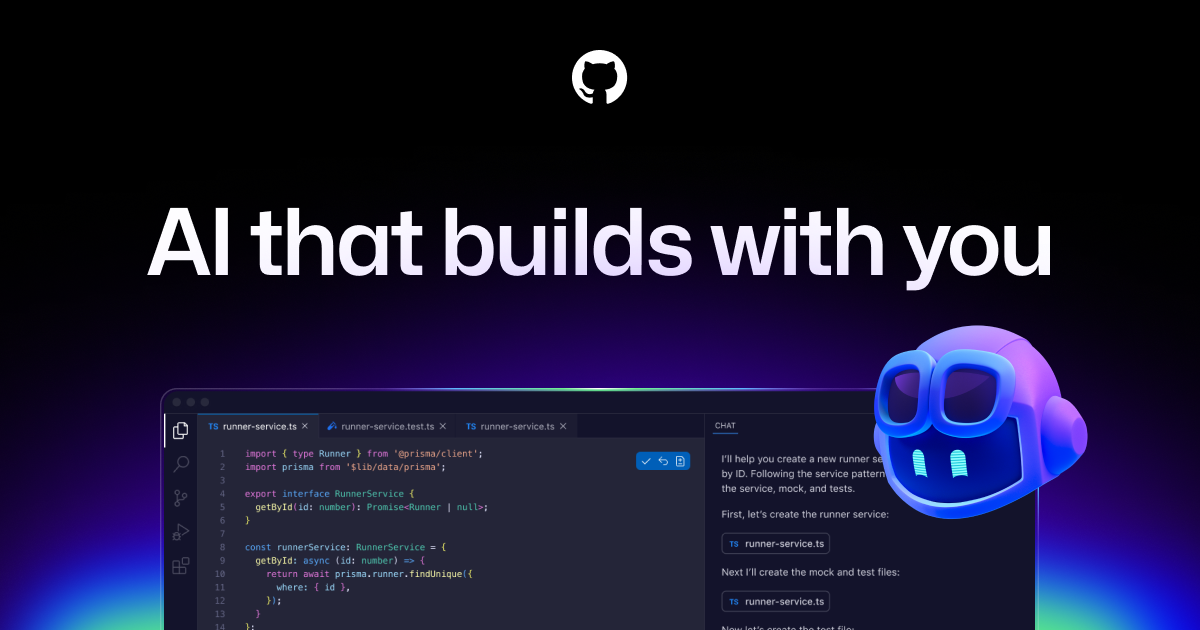
GitHub Copilot is the AI coding assistant that kicked off the entire category. Built by GitHub in partnership with OpenAI and launched in 2021, it acts as an "AI pair programmer" that lives inside your editor, suggesting whole lines and functions as you type and answering questions about your code in plain English. Since then it has grown far beyond autocomplete into a full assistant that can chat, review pull requests, and run autonomous agents.
It is aimed at developers of every level — from students learning to code to professional engineers shipping production software at large companies. Copilot works where you already work: Visual Studio Code, Visual Studio, JetBrains IDEs, Neovim, the command line, and directly on GitHub.com. Under the hood it is no longer tied to a single model; you can pick between models from OpenAI, Anthropic, and Google depending on the task, which keeps it competitive as the underlying AI improves.
Benefits of Using GitHub Copilot
- Faster coding: Copilot writes boilerplate, repetitive patterns, and whole functions for you, so you spend less time typing and more time solving problems.
- Stays in your flow: suggestions and chat appear right in your editor, so you rarely need to break focus to search Stack Overflow or docs.
- Learns your context: it reads your open files and project to make suggestions that fit your code style, variable names, and libraries.
- Great for learning: beginners can ask Copilot Chat to explain unfamiliar code, suggest fixes, and walk through errors step by step.
- Model choice: access to multiple frontier models means you can pick the best AI for reasoning, speed, or long-context tasks.
- Deeply integrated with GitHub: it extends into pull requests, code review, and issues, tying AI help into the workflow teams already use.
AI Features of GitHub Copilot
-
Code Completions
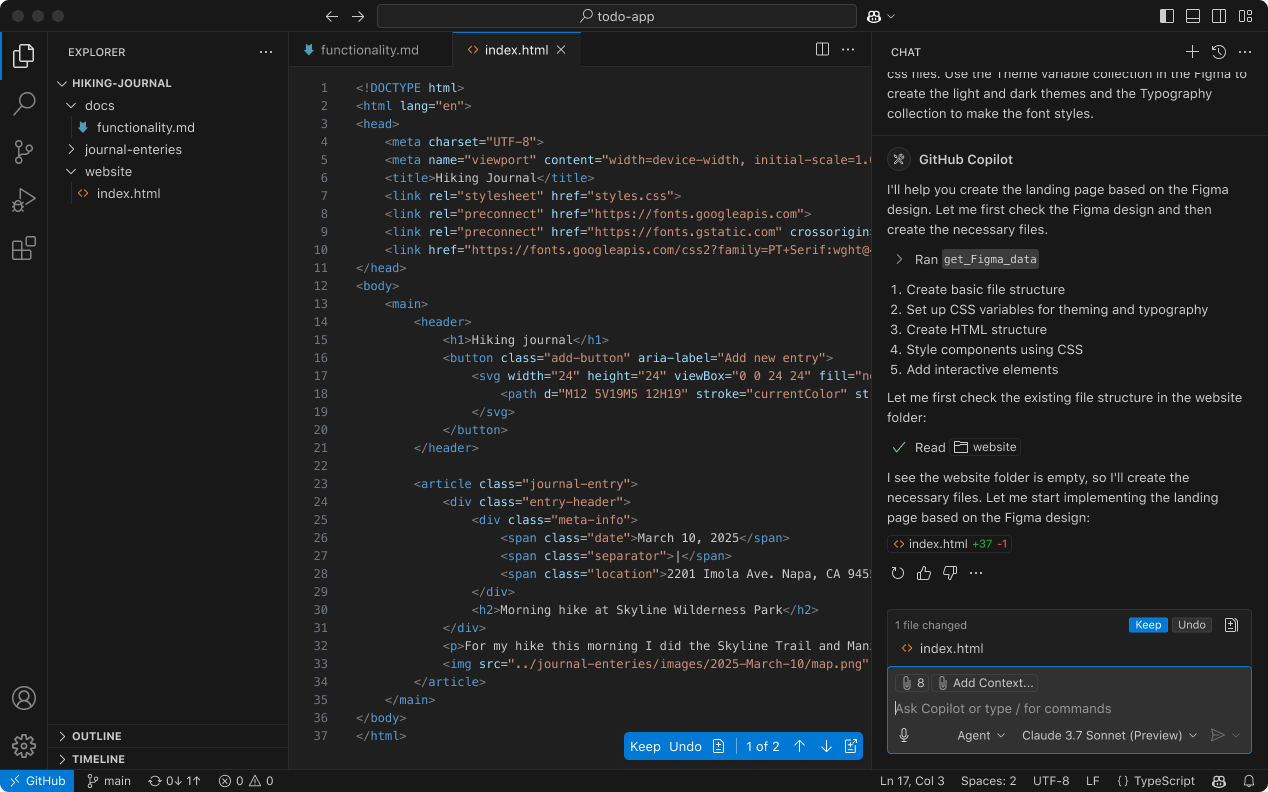
Copilot's original superpower is real-time code completion. As you type, it suggests the next line or an entire block in faded "ghost text" that you accept with a keystroke. It handles everything from finishing a loop to writing a full function from a comment, and it works across dozens of languages, drawing on the context of your current file and project.
-
Copilot Chat
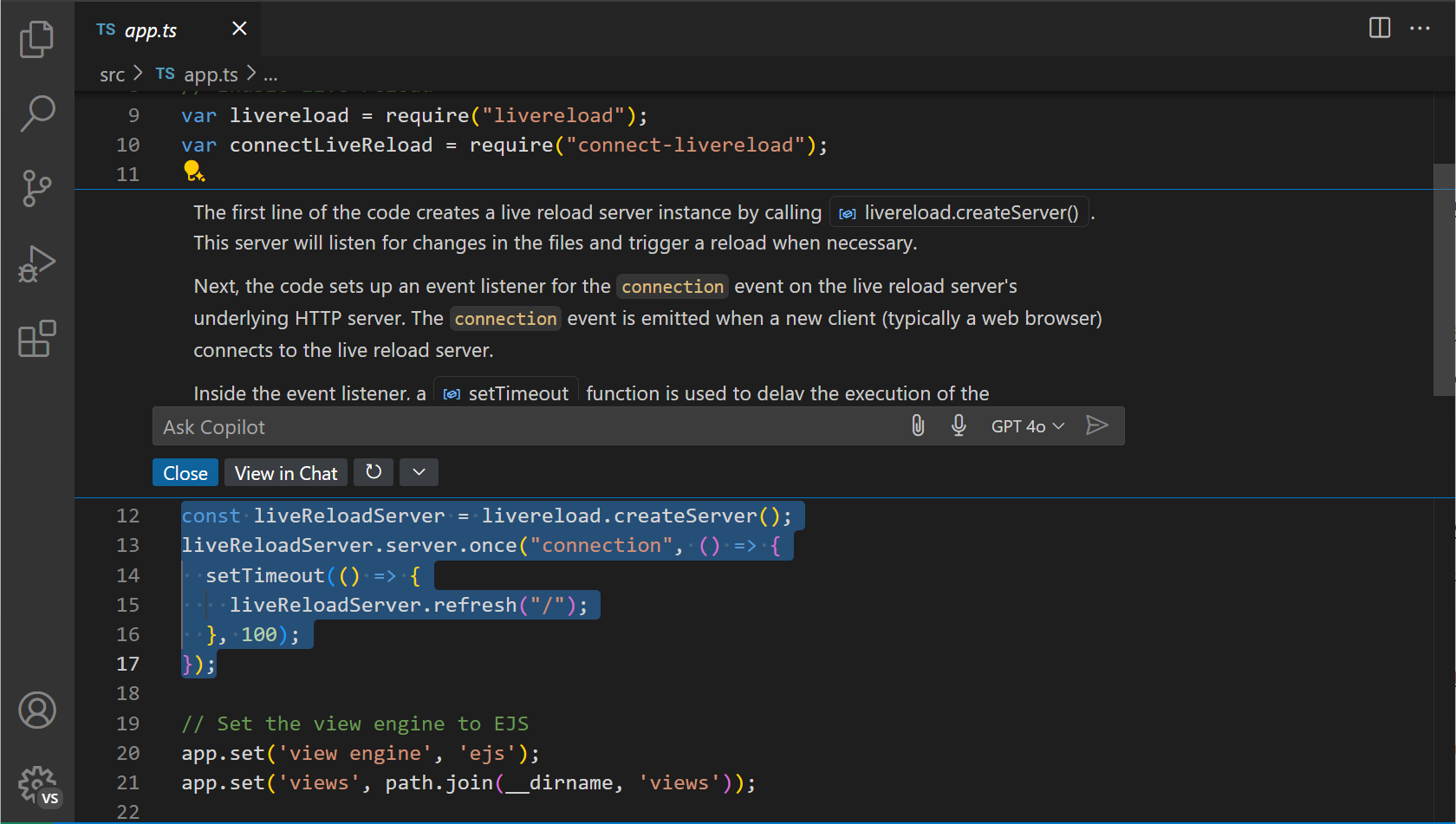
Copilot Chat is a conversational assistant built into your IDE and GitHub. You can ask it to explain a function, generate tests, fix a bug, refactor a selection, or answer questions about your codebase in natural language. Inline chat lets you make targeted edits without leaving the file you are working in.
-
Agent Mode
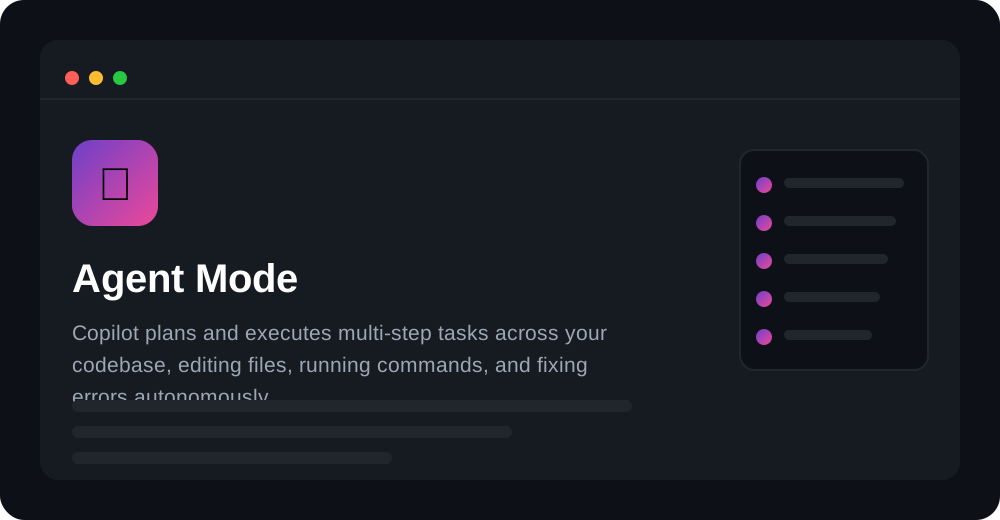
Agent mode turns Copilot from a suggester into a doer. Give it a high-level task and it plans the steps, edits multiple files across your codebase, runs terminal commands, and iterates on errors until the job is done — while you stay in control and review the changes. It is Copilot's answer to the autonomous coding agents reshaping the category.
-
Multiple AI Models
Copilot is no longer locked to one model. You can switch between models from OpenAI, Anthropic's Claude, and Google's Gemini directly in the model picker, choosing the right balance of reasoning power, speed, and context length for each task. This keeps Copilot current as new models are released.
-
Works Everywhere You Code
Copilot runs in VS Code, Visual Studio, JetBrains IDEs, Neovim, and the command line through the Copilot CLI, plus across GitHub.com for pull request summaries and code review. Wherever your workflow lives, Copilot follows, so you get consistent AI help without changing tools.
-
Code Review and Knowledge Bases
On paid tiers, Copilot can review pull requests and leave suggested changes, while Enterprise adds knowledge bases that ground answers in your organization's documentation and repositories, making its responses more relevant to your specific codebase.
Pricing of GitHub Copilot
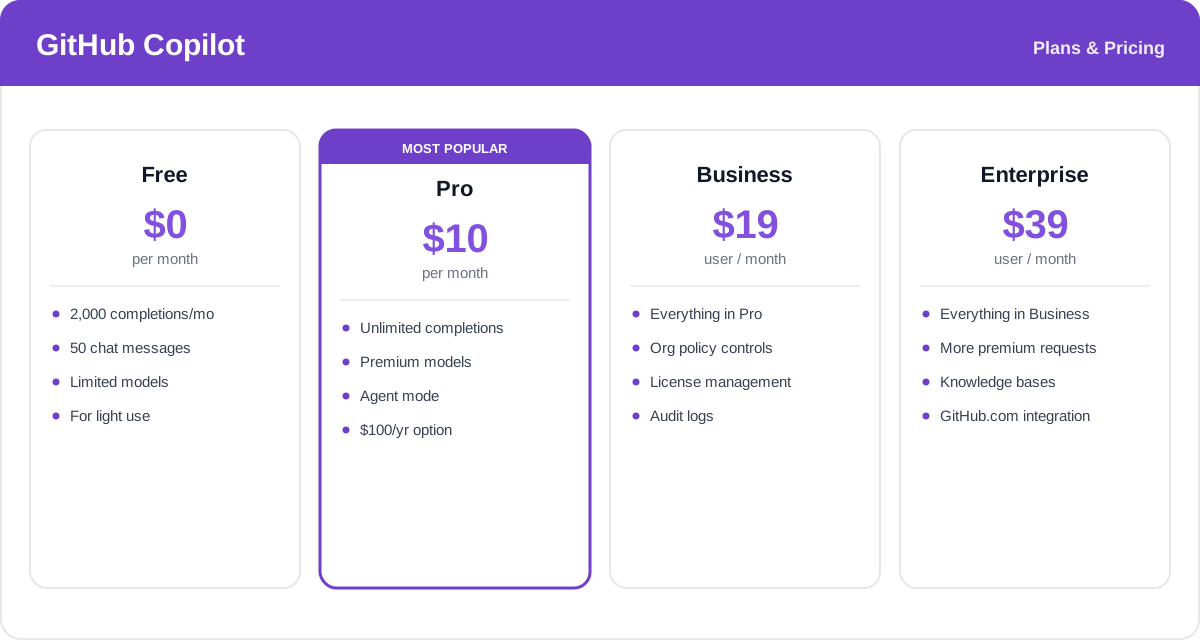
GitHub Copilot offers a free tier plus paid individual and organization plans. Paid plans use "premium requests" for the most advanced models, and annual billing saves money on the Pro tier.
- Free: $0 — a limited monthly allowance of code completions and chat messages, ideal for light or occasional use.
- Pro: $10/month (or $100/year) — unlimited completions, access to premium models, agent mode, and a monthly allowance of premium requests. Free for verified students, teachers, and popular open-source maintainers.
- Business: $19/user/month — everything in Pro plus organization-wide policy controls, license management, and audit logs for teams.
- Enterprise: $39/user/month — everything in Business plus more premium requests, knowledge bases, and deeper GitHub.com integration for large organizations.
Pricing and request allowances change over time — check the official GitHub Copilot plans page for the latest rates and what each plan includes.
Real-World Use Case Analysis
-
Professional Development Teams
Shipping faster: engineering teams use Copilot to accelerate everyday coding — writing tests, boilerplate, and repetitive logic — while agent mode tackles larger refactors and bug fixes. Business and Enterprise controls let organizations manage licenses and set policies across the whole team.
Code review: Copilot's PR review helps catch issues earlier and keeps human reviewers focused on the changes that matter most.
-
Learning and Onboarding
Understanding unfamiliar code: new hires and students use Copilot Chat to explain a codebase, decode error messages, and suggest fixes, dramatically shortening the ramp-up on an unfamiliar project or language.
-
Solo Developers and Side Projects
Momentum on your own: indie developers rely on Copilot as an always-available pair programmer to prototype quickly, get unstuck, and maintain projects without a teammate to bounce ideas off. The free tier and cheap Pro plan make it accessible for hobby work.
Pros and Cons of GitHub Copilot
-
Advantages of Using GitHub Copilot
GitHub Copilot delivers clear strengths, including:
- Best-in-class editor integration across virtually every major IDE.
- Excellent, low-friction code completion that genuinely speeds up daily coding.
- Access to multiple frontier models plus agent mode for autonomous tasks.
- Deep ties into GitHub for pull requests, review, and team management.
-
Disadvantages of Using GitHub Copilot
A few drawbacks to weigh:
- Suggestions can be confidently wrong, so every line still needs human review.
- Premium request limits on paid plans can be hit by heavy agent use, adding cost.
- As an add-on to your editor rather than a full AI-first editor, its agent experience is a step behind tools built around AI from the ground up.
Final Thoughts on GitHub Copilot
GitHub Copilot remains the default AI coding assistant for a reason: it is polished, works in nearly every editor, and now spans completion, chat, agents, and multi-model choice while plugging straight into GitHub's workflow. For most developers and teams already living on GitHub, it is the easiest and safest place to start with AI-assisted coding, and the free tier plus cheap Pro plan lower the barrier to entry. It is not flawless — suggestions still need review, and dedicated AI-first editors push the agent experience further — but as a reliable, deeply integrated everyday assistant, Copilot is hard to beat. Try the free plan first, then upgrade to Pro once it becomes part of how you code.
Related comparison: See how GitHub Copilot compares in Cursor vs Windsurf vs GitHub Copilot: Best AI Coding Tool? — or browse all comparisons & best-of guides.
Ready to try GitHub Copilot?
Visit the official website to see the latest plans, pricing, and special offers.
Get Started - GitHub Copilot* Affiliate link - we may earn a commission at no extra cost to you.