Mujo AI Review: One Product Photo Into a Full Marketplace Listing
A hands-on look at Mujo AI: the Mujo Engine's one-photo-to-listing workflow, its credit-based pricing (200 credits for $2.60, checked September 2026), the third-party models underneath, and who should use it or skip it.
Expert Review

Most AI image tools hand you a picture. Mujo AI tries to hand you a sale. Upload one product photo and its "Mujo Engine" returns a full marketplace listing: a hero shot, benefit slides, comparison graphics, lifestyle scenes and the copy to sit beside them, each crop pre-sized for Amazon, Shopify, Etsy or Lazada. Founded by Nikolai Muravev, it launched its e-commerce listing agent on 18 December 2025 and a selfie-driven "Photoshoot" mode on 15 January 2026. Here is what it does, what it costs, and where the marketing runs ahead of the evidence.
One photo in, a listing out
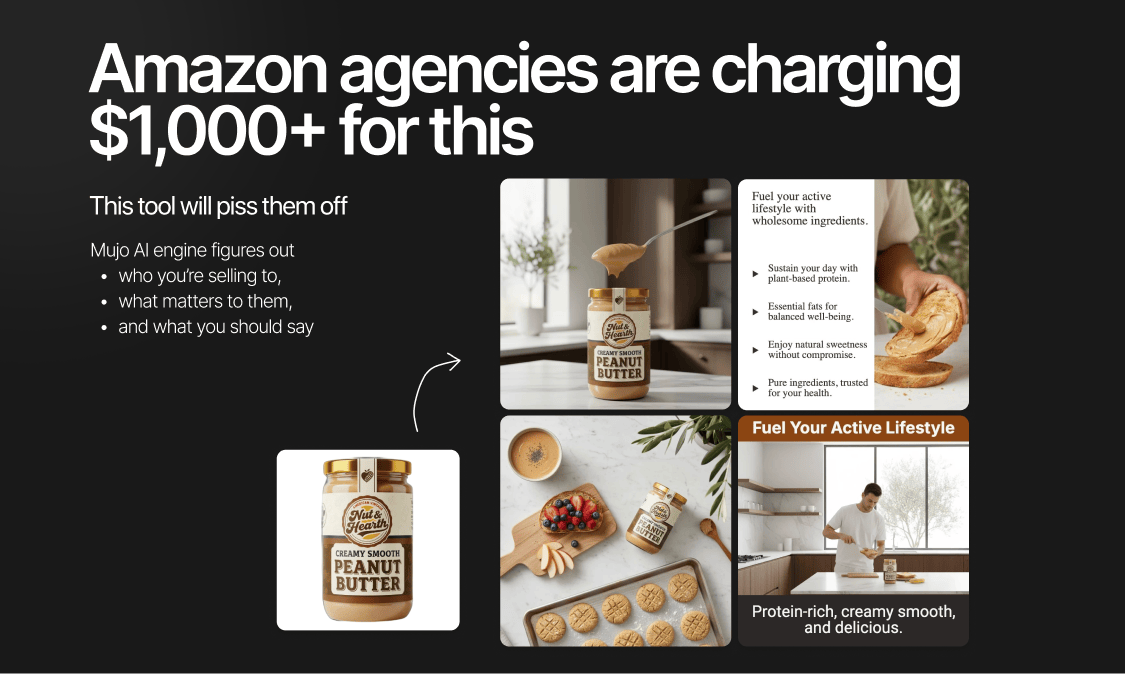
The pitch is narrow and specific. A product photographer or a full marketplace design set can run into the hundreds of dollars, and Mujo aims squarely at that expense. Give it a single image of your product and the Mujo Engine first infers a target buyer and the features worth selling, then plans a gallery around them.
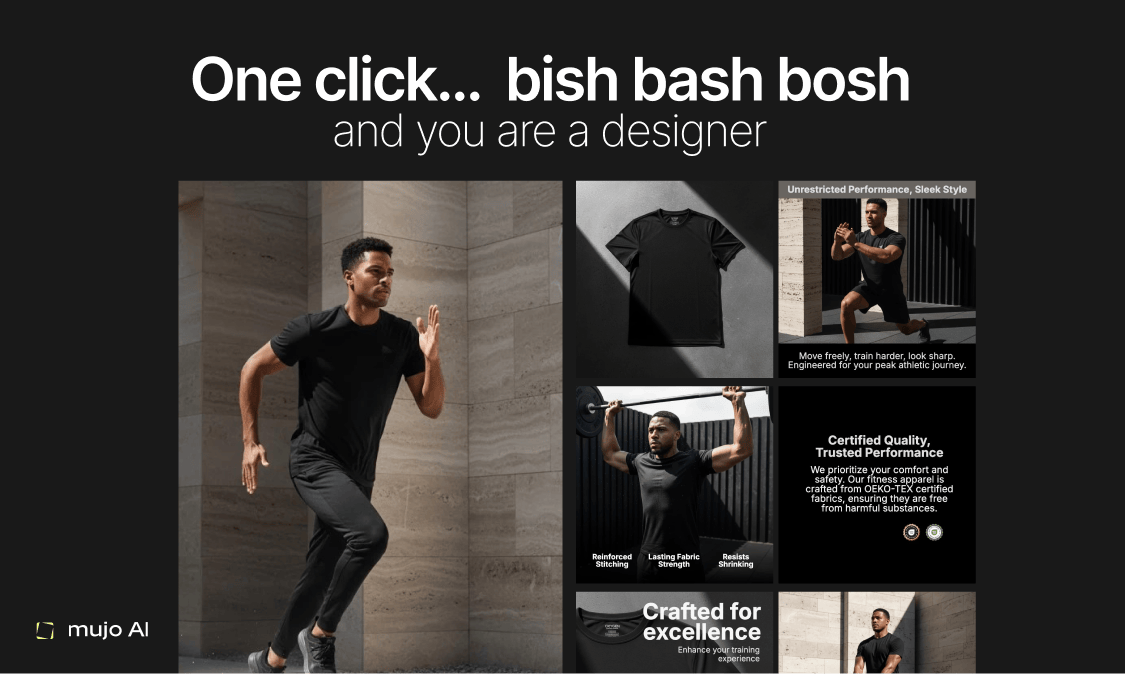
The output is a set, not a single frame: a hero, benefit slides that place text inside safe areas, comparison graphics and lifestyle images. Copy follows explicit format rules (headlines capped at seven words, bullets kept to two-to-four items of nine words or fewer) matched to Amazon's listing layout. When a product has variants, the engine locks the angle, shadow and label geometry across the set and changes only the color or flavor cue, so a ten-SKU range stays visually consistent instead of looking like ten separate shoots.
Everything exports pre-cropped for each marketplace (1:1, 4:5, A+ modules, mobile) and in multiple languages. That is the part that removes the most manual work.
The models underneath
Mujo does not run its own image model. It routes to third-party ones: Nano Banana 2, Midjourney, Seedream and Kling for stills, plus Seedance 2.5 for video up to 30 seconds. On top it layers its listing logic and more than 1,000 creative controls (camera, pose, lighting, emotion, hairstyle, location, angle). A background remover, a design-and-copy editor and prompt packs round out what has grown from a single-purpose tool into a general image-and-video studio.
That routing cuts both ways. You get whichever model suits a given shot without juggling four subscriptions. But you also inherit their churn: the vendor can swap "Seedream" for a newer build without telling you, and there is no published guarantee about which engine handles a given job or whether it stays fixed. If you plan to reproduce a listing across a variant range, ask before you commit a large batch of credits.
Pricing
Mujo prices by credits, not seats. That is unusual for a design SaaS, and it suits spiky work: buy a bundle, spend it when you have listings to make, and let it sit when you don't. Checked on the pricing page in September 2026, the entry point is 200 credits for $2.60, described as enough for a test or small tasks. Bundles scale up from there to 50,000 credits, the credits do not expire, and annual billing is advertised as saving up to 40% against monthly.
A free plan lets you try the platform before buying anything, and an Enterprise tier exists at custom pricing behind a "Talk to Us" form with no public number. The pricing page's full comparison table is JavaScript-rendered and did not load cleanly on inspection, so treat the mid-tier bundle prices as figures to confirm in-app rather than ones to quote from here.
The cost claim, examined
Mujo's headline saving is large, and it rewards careful reading. The project's own materials claim a seller can produce about a dozen product image sets for roughly $32 in credits, against roughly $600 for a single designer-made set — a saving it frames as around 95% per set. A separate "70% on content costs" figure appears in its repository tagline but is not backed by anything in the body text.
Both numbers are the vendor's own marketing, not independent tests. The $600 designer set is a flattering baseline: plenty of sellers already use cheaper tools or in-house photos, so the real saving depends on what you do today. If you were genuinely about to hire a photographer, the math is compelling. If you were already shooting on a phone in a lightbox, the honest saving is time, not $568.
What isn't stated
Two things a buyer should want in writing are not visible on the public pages. There is no clear statement of whether your uploaded product photos train the underlying models, and no plain answer on the commercial rights to the generated images. For product listings this matters twice over: you need unambiguous permission to use the output commercially, and most sellers would rather their catalog not become training data. Confirm both with support before you upload a flagship product.
Rate limits are effectively your credit balance rather than a per-minute cap, which is cleaner than most AI tools. The weaker spot is control. A photographer shoots to a brand's exact spec; a model infers one. For a strict brand book, expect to spend credits iterating toward the look you want.
Verdict
Mujo AI is a sharp answer to one real, expensive problem: getting marketplace-ready product images and copy without a photographer or a designer. For a solo seller, a dropshipper or a small brand launching SKUs faster than a studio budget allows, the one-photo-to-listing workflow and pay-as-you-go credits fit well, and the pre-sized marketplace crops remove the most tedious step.
Skip it if you need brand-controlled photography a model cannot reliably infer, or if you want flat, predictable per-seat billing for a team — in that case a fixed-tier tool such as Photoroom, or a designer on retainer, will serve you better. Whichever way you lean, confirm the training and output-rights questions before you make it the backbone of a catalog. As a fast, cheap first draft of a listing it earns its place. As the final word on a hero product, verify what you are getting.
Ready to try Mujo AI?
Visit the official website to see the latest plans, pricing, and special offers.
Get Started - Mujo AI* Affiliate link - we may earn a commission at no extra cost to you.