Runway Review: The AI Video Generator Filmmakers Actually Use
Runway review: the AI video generator with Gen-4.5 text-to-video, Aleph editing, and Act-Two motion capture — features, pricing, pros and cons for creators.
Expert Review

What is Runway?
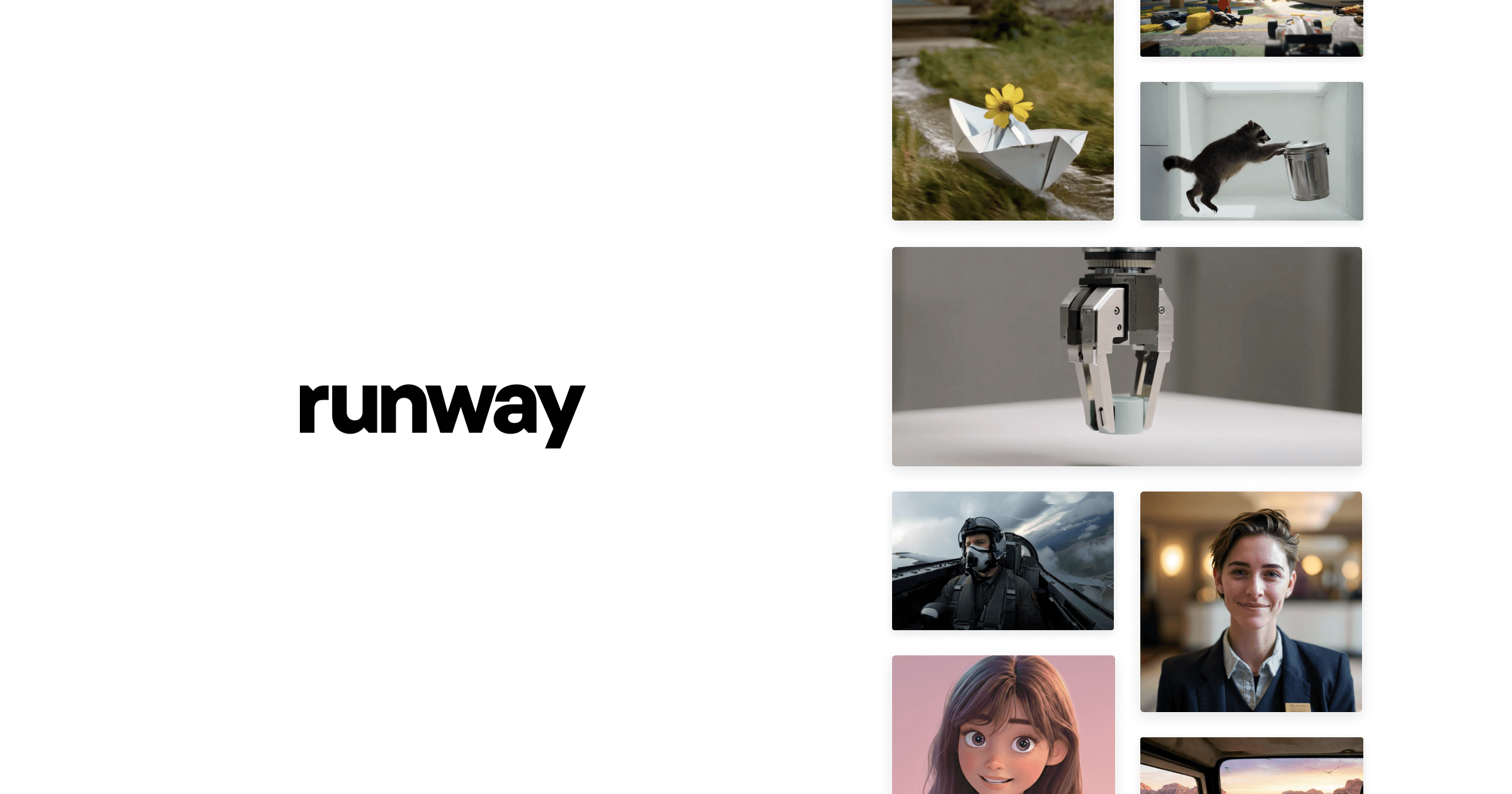
Runway is an applied AI research company that builds generative tools for video, image, and audio creation. It is best known for its Gen series of video models, which turn a written prompt or a still image into short, cinematic clips complete with camera movement, lighting, and physics. What started as an experimental toy has matured into a platform that professional filmmakers, editors, and studios use inside real production pipelines.
The pitch is straightforward: describe a scene, or feed in an image or existing footage, and Runway generates or transforms video around it. Its flagship Gen-4.5 model focuses on prompt adherence, character consistency, and believable motion, while companion tools handle editing, restyling, and performance capture. Runway is aimed at anyone who needs moving pictures fast — from indie creators and marketers to VFX teams working on films and commercials.
Benefits of Using Runway
- Cinematic output: Gen-4.5 produces clips with coherent motion, camera work, and lighting that look far closer to real footage than earlier AI video.
- Multiple entry points: generate from text, animate a still image, or transform existing video — you are not locked into a single workflow.
- Character consistency: Runway keeps subjects and scenes recognizable across shots, which is what makes stringing clips into a sequence practical.
- Speed and cost: ideas that once needed a shoot, a crew, or heavy VFX time can be prototyped or produced in minutes for a few credits.
- Creative control: tools like Aleph and Act-Two let you edit and direct results rather than accepting whatever the model returns first.
- Browser-based: everything runs in the browser, so there is no heavy local hardware or install to manage.
AI Features of Runway
-
Gen-4.5 Text-to-Video
Runway's flagship model turns a written prompt into a coherent, cinematic clip. It handles motion, camera moves, and physics far better than earlier generations, and its improved prompt adherence means the video you get is much closer to the shot you described — a real starting point for a scene rather than a random animation.
-
Image-to-Video
Feed Runway a still image — a photograph, a concept frame, or an AI-generated picture — and it animates it into fluid motion. This is one of the most reliable ways to get a controllable result, because you fix the composition and characters first and let the model handle only the movement.
-
Aleph Video-to-Video
Aleph is Runway's in-context video editing model. Point it at existing footage and change the weather, relight the scene, add or remove objects, or restyle the whole shot with a prompt. It pushes Runway beyond pure generation into practical post-production and VFX work.
-
Act-Two Performance Capture
Act-Two drives a character's face and body from a simple video take — even one recorded on a webcam. It transfers gestures and expressions onto a generated character, so creators can perform a scene themselves and map it onto an AI actor, closing the gap between prompt and directed performance.
-
Frames, Lip-Sync, and the Toolkit
Around the core models sit a suite of extras: the Frames image model for high-fidelity stills, lip-sync for matching dialogue to a character's mouth, background removal, upscaling, and more. Together they make Runway a full creative workspace rather than a single-trick generator.
Pricing of Runway
Runway uses a credit-based model on top of tiered subscriptions. Each generation costs credits depending on the model and length — for example, a second of Gen-4.5 video costs more credits than a second of the lighter Gen-4 model — so heavier users move up the tiers for larger monthly allowances.
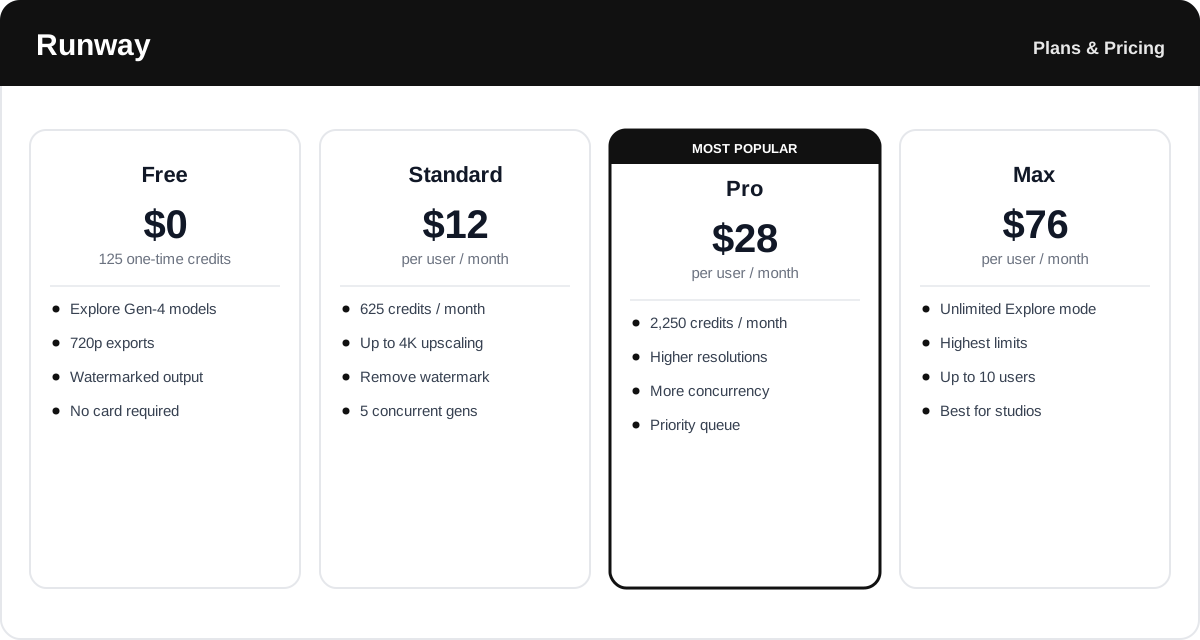
- Free: $0 — a one-time allotment of 125 credits to explore the models, with 720p and watermarked exports. Good for a first try.
- Standard: $12 per user per month (billed annually) — 625 recurring credits, watermark removal, and higher-resolution exports.
- Pro: $28 per user per month (billed annually) — 2,250 credits, higher resolutions, more concurrent generations, and priority access. The sweet spot for regular creators.
- Max: $76 per user per month (billed annually) — the highest limits plus an Explore mode with unlimited generations at a relaxed rate, for studios and heavy users.
- Enterprise: Custom pricing — tailored capacity, security, and support for organizations.
Credit costs and plan limits change often — always confirm the current rates and exactly what each tier includes on Runway's official pricing page before subscribing.
Real-World Use Case Analysis
-
Filmmakers and VFX Teams
Previsualization: directors use Runway to block out scenes, test camera moves, and pitch a look before committing budget to a real shoot, turning a script line into a moving reference in minutes.
Post-production: Aleph handles reshoot-style fixes — relighting, adding elements, or restyling shots — that would otherwise mean expensive VFX time or a return to set.
-
Marketers and Social Creators
Fast content: brands and creators generate ad concepts, product b-roll, and short social clips without a camera crew, iterating on variations quickly to see what performs.
-
Designers and Artists
Bringing stills to life: illustrators and concept artists animate their own artwork with image-to-video, adding motion to portfolios and pitches while keeping full control over the original composition.
Pros and Cons of Runway
-
Advantages of Using Runway
Runway offers real strengths, including:
- Some of the most cinematic, controllable AI video available, with strong motion and prompt adherence.
- A genuine toolkit — text-to-video, image-to-video, editing, and performance capture in one place.
- Aleph and Act-Two push it toward real production work, not just novelty clips.
- Browser-based access with no heavy local hardware required.
-
Disadvantages of Using Runway
A few drawbacks to weigh:
- The credit system means heavy use adds up quickly, and premium models burn credits fast.
- Clips are still short, so longer sequences require stitching many generations together.
- Results can need several attempts to get right, and fine details like hands or text can still glitch.
Final Thoughts on Runway
Runway is one of the most capable AI video platforms available, and the one that has done the most to move generative video from a curiosity into a real creative tool. Gen-4.5's cinematic output, combined with Aleph editing and Act-Two performance capture, gives creators a level of control that pure text-to-video tools lack. The trade-offs are the credit costs at heavy usage, the short clip lengths, and the trial-and-error nature of getting exactly the shot you want. But for filmmakers, marketers, and artists who want to produce or prototype video fast, Runway is well worth exploring — start on the free credits to see what it can do before committing to a plan.
Related comparison: See how Runway compares in Best AI Video Generators: Vidnoz vs HeyGen vs InVideo vs Runway vs Pictory — or browse all comparisons & best-of guides.