Vidnoz AI Review: Turn Text and Photos Into Talking Videos
Vidnoz AI review: the all-in-one AI video generator with talking avatars, text-to-speech voices, face swap, and video translation — features, pricing, pros and cons.
Expert Review

What is Vidnoz AI?
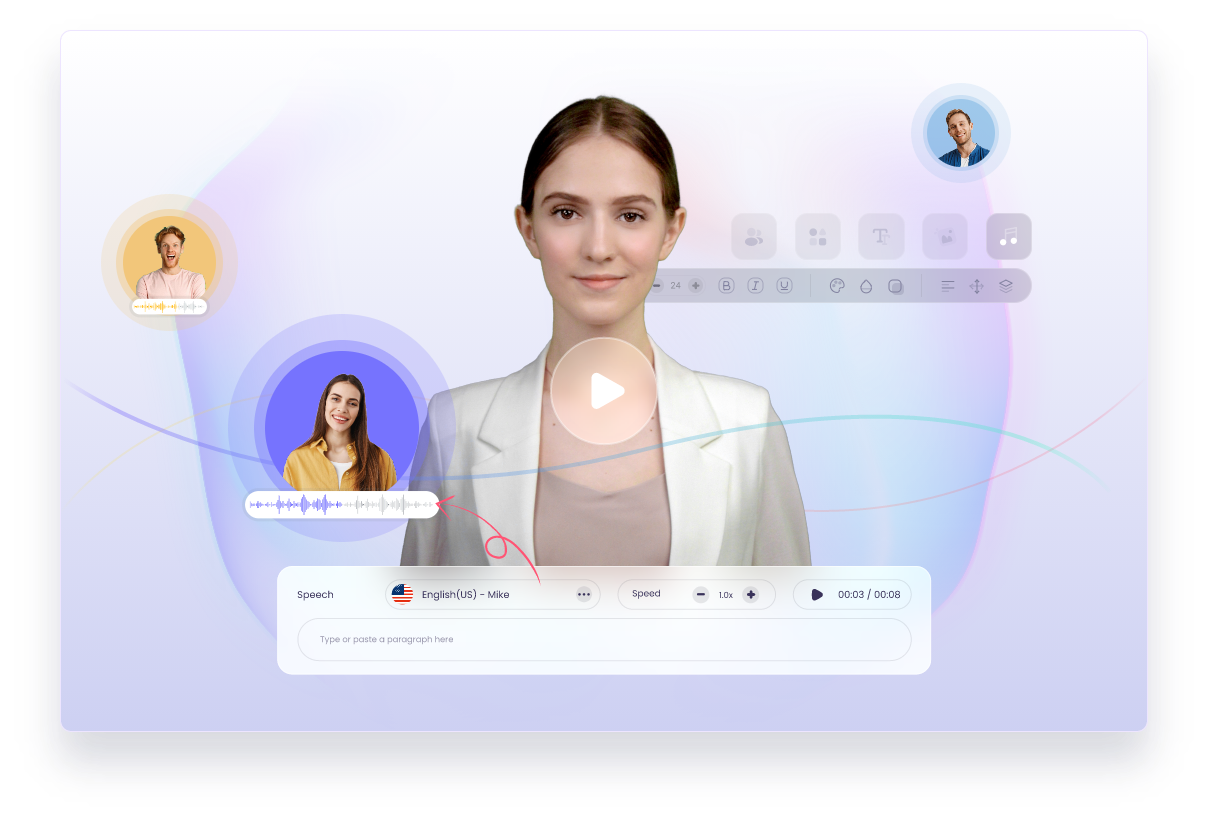
Vidnoz AI is an all-in-one AI video creation platform that turns text, scripts, and photos into polished talking-avatar videos in minutes — no camera, actors, or editing skills required. You pick a realistic AI presenter, type or paste your script, choose a voice, and Vidnoz generates a finished video of that avatar speaking your words. It is aimed at marketers, trainers, educators, and social creators who need to produce a steady stream of video without a studio.
Beyond avatar videos, Vidnoz bundles a wide toolkit: AI text-to-speech, AI face swap, talking photos, video translation, voice cloning, and hundreds of ready-made templates. The pitch is speed and volume — spin up professional-looking videos at scale, in many languages, for a fraction of the cost of traditional production. A free plan with daily credits lets you try most of it before paying.
Benefits of Using Vidnoz AI
- Fast video production: generate a talking-head video from a script in minutes instead of days, skipping filming and editing entirely.
- No equipment or talent needed: AI avatars and voices replace cameras, studios, and paid presenters, dramatically cutting costs.
- Huge asset library: over 1,300 realistic AI avatars and 1,400+ voices across 140+ languages let you localize content for a global audience.
- All-in-one toolkit: avatar videos, face swap, talking photos, translation, and voice cloning live in one platform instead of five separate apps.
- Templates for every use case: hundreds of ready-made templates for ads, training, explainers, and social clips get you started fast.
- Free to start: a free plan with daily credits means you can create real videos before committing to a subscription.
AI Features of Vidnoz
-
AI Avatars and Text-to-Video
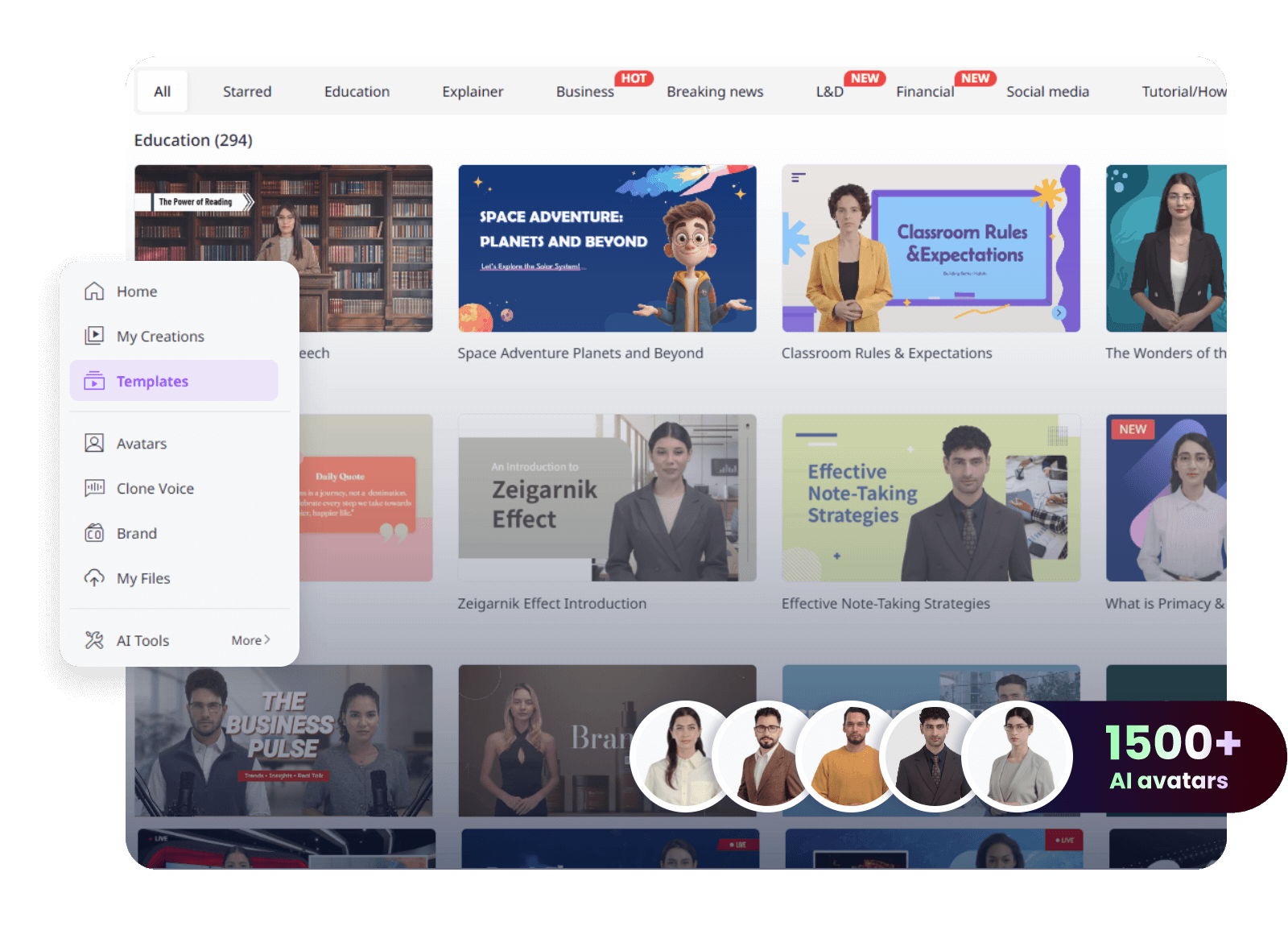
The core of Vidnoz is its library of 1,300+ lifelike AI avatars representing different ages, ethnicities, and styles. Type a script, pick an avatar and voice, and Vidnoz produces a video of that presenter delivering your message with natural lip-sync. You can also create a custom avatar of yourself for a personal on-brand presenter.
-
AI Text-to-Speech and Voices
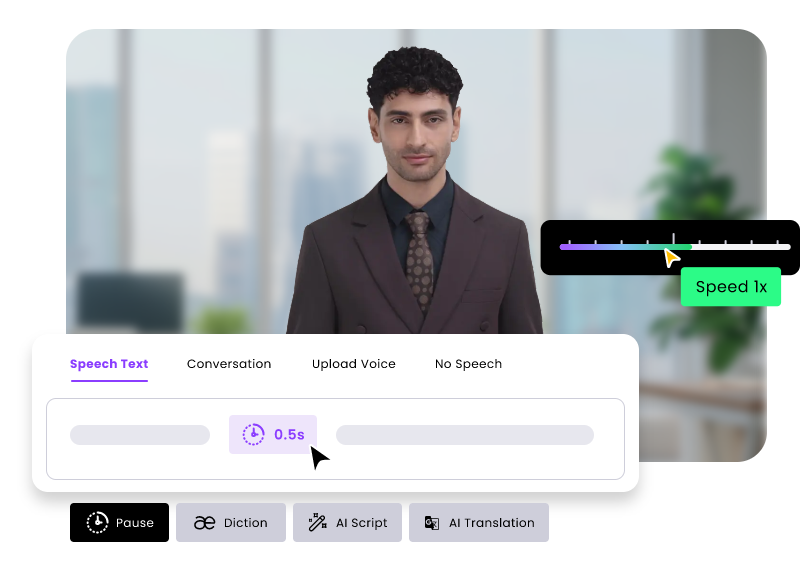
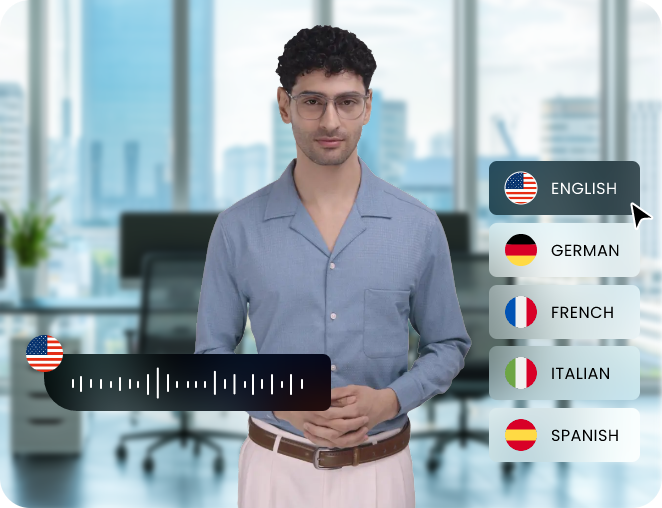
Vidnoz includes a powerful text-to-speech engine with more than 1,400 natural-sounding voices in over 140 languages and accents. You can adjust tone and pacing, and voice cloning lets you generate speech in a custom voice — useful for keeping a consistent brand sound across every video.
-
AI Face Swap
The AI Face Swap tool swaps faces in photos, videos, and GIFs in a few clicks. Creators use it for fun clips, personalized content, and quick concept mockups, while the underlying technology also powers Vidnoz's more advanced avatar and talking-photo features.

-
Talking Photo
Upload a single still image and Vidnoz animates it into a talking portrait that speaks your script with synced mouth movements and expressions. It is a striking way to bring photos, characters, or illustrations to life for social content and presentations.
-
AI Video Translation
The AI Video Translator takes an existing video and re-voices it in another language, keeping the timing aligned so your content instantly reaches new markets. Combined with the multilingual voices, it makes localizing training and marketing videos far cheaper than re-recording.
-
Templates and 1-Click Generation
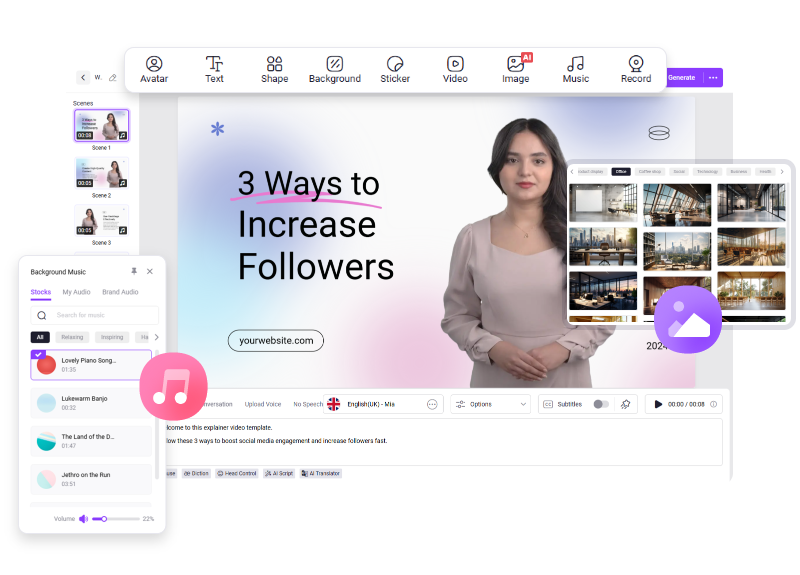
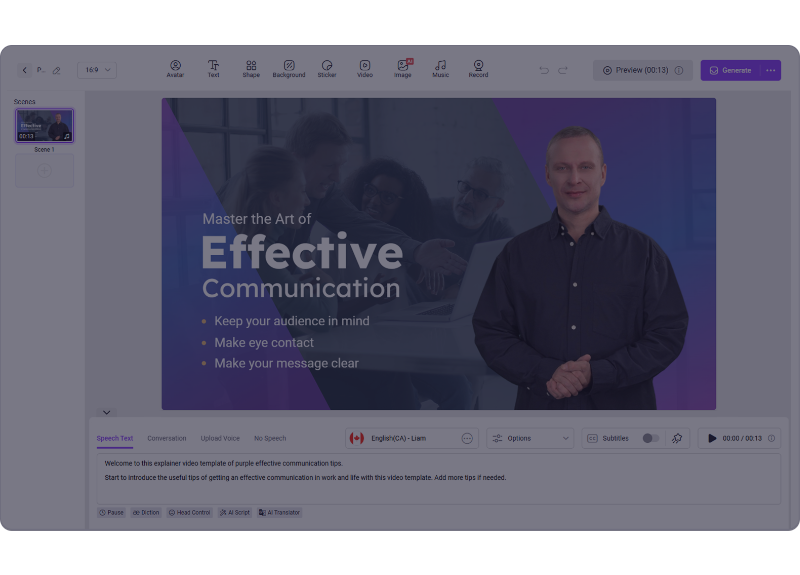
Hundreds of ready-made templates cover ads, explainers, tutorials, news, and social formats, so you start from a proven layout instead of a blank canvas. An AI script generator can even draft your copy, taking a project from idea to finished video with minimal effort.
Pricing of Vidnoz AI
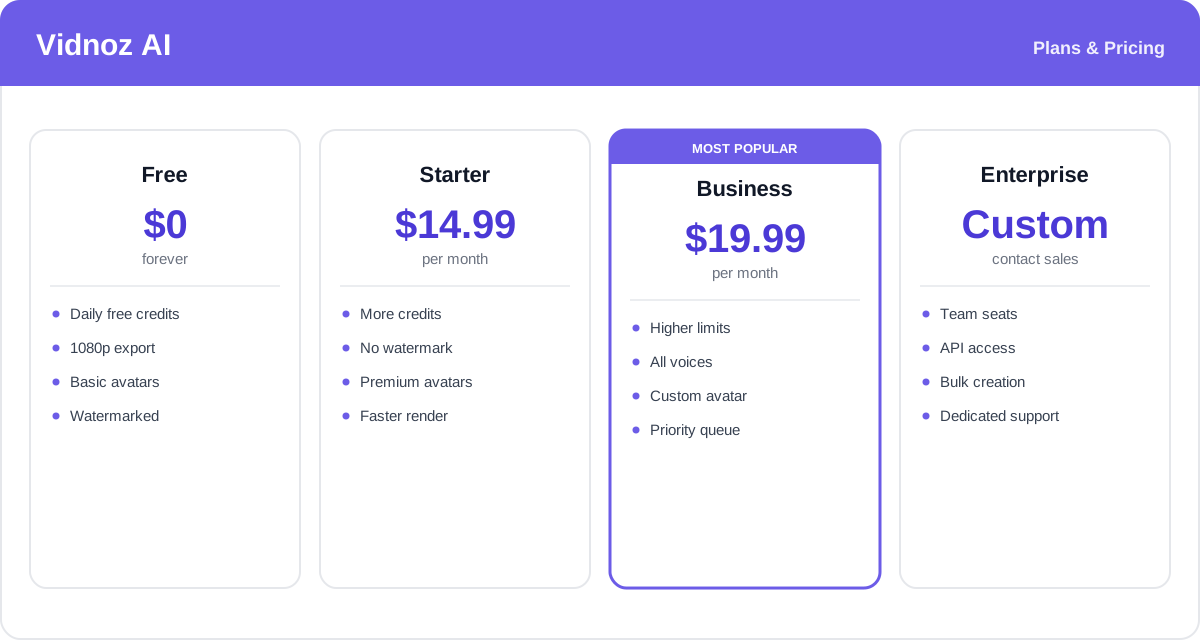
Vidnoz uses a freemium model. The free plan hands out daily credits and is genuinely usable, though it adds a watermark and limits some premium features. Paid plans remove the watermark, add credits, and unlock premium avatars and voices; annual billing is cheaper than paying monthly.
- Free: $0 — daily free credits, 1080p export, and access to basic avatars and voices, with a watermark on output.
- Starter: around $14.99/month — more credits, watermark removed, premium avatars and voices, and faster rendering.
- Business: around $19.99/month — higher limits, the full voice and avatar library, custom avatar creation, and priority processing.
- Enterprise: custom pricing — team seats, API access, bulk video creation, and dedicated support for organizations producing video at scale.
Pricing and credit allowances change often and vary by promotion — check the official Vidnoz pricing page for current rates and exactly what each plan includes.
Real-World Use Case Analysis
-
Marketing and Social Content
Ads and product videos: marketers use Vidnoz to spin up avatar-led promos, product explainers, and short social clips quickly and cheaply, testing multiple versions without a shoot.
Localization: with multilingual voices and video translation, a single video can be re-voiced into many languages, letting brands reach global audiences without re-filming.
-
Training and Education
Course and onboarding videos: trainers turn scripts and slide notes into consistent, professional presenter videos for e-learning and internal onboarding, updating them easily when content changes.
Explainers: educators use talking avatars and templates to make dry material more engaging without appearing on camera themselves.
-
Creators and Small Business
Faceless channels and quick content: solo creators and small businesses use AI avatars, talking photos, and face swap to produce steady content without equipment or on-camera confidence, keeping costs and production time low.
Pros and Cons of Vidnoz AI
-
Advantages of Using Vidnoz AI
Vidnoz AI offers real strengths, including:
- Extremely fast, low-cost video creation with no cameras or actors.
- A massive library of avatars, voices, and languages for global content.
- A broad all-in-one toolkit — avatars, face swap, talking photos, and translation.
- A capable free plan that lets you test the platform before paying.
-
Disadvantages of Using Vidnoz AI
A few limitations to keep in mind:
- AI avatars and voices can still feel slightly robotic compared with a real presenter.
- The free plan watermarks videos and caps daily credits, so heavy use requires a paid plan.
- Rendering longer or higher-volume videos can be slow, and complex custom editing is limited compared with full video editors.
Final Thoughts on Vidnoz AI
Vidnoz AI is a strong pick for anyone who needs to produce a lot of video quickly and affordably. Its avatar and voice library, multilingual support, and extra tools like face swap and talking photos make it a versatile, genuinely all-in-one platform — and the free plan lowers the barrier to trying it. The output is not going to replace a high-end human presenter for premium brand work, and the free tier's watermark and credit limits nudge serious users toward a subscription. But for marketing clips, training material, localized content, and social video at scale, Vidnoz delivers professional-looking results with very little time or budget. Start on the free plan to see how well its avatars fit your content before upgrading.
Related comparison: See how Vidnoz AI compares in Best AI Video Generators: Vidnoz vs HeyGen vs InVideo vs Runway vs Pictory — or browse all comparisons & best-of guides.
Ready to try Vidnoz AI?
Visit the official website to see the latest plans, pricing, and special offers.
Get Started - Vidnoz AI* Affiliate link - we may earn a commission at no extra cost to you.