Yesware Review: Email Tracking for Gmail and Outlook, Where the Real Price Starts at Premium
Yesware review: Free, Pro $15, Premium $35 and Enterprise $65 per seat, the 24-hour free tracking limit, Outlook vs Gmail gaps, Salesforce and alternatives.
Expert Review

What Yesware is now
Yesware was one of the first tools to tell a salesperson that a prospect had opened an email. It started in Boston in 2010. Vendasta, a Saskatoon-based software company, bought it in October 2022, and the Chrome extension is now listed as "Vendasta Yesware: Smart Sales Outreach From Your Inbox" (version 26.10.26, updated October 29, 2026). The product is still the same idea: a sidebar inside Gmail or Outlook that adds open and click tracking, attachment tracking, templates, multi-step campaigns and a meeting scheduler.
The company page claims 6,000+ companies and 1.4M+ Gmail and Outlook installs. The Chrome Web Store shows 80,000 users and a 3.7 out of 5 rating from 1.1K ratings. The Outlook add-in on Microsoft AppSource rates 4.3 from 1,041 ratings.
The headline price is $15 a seat, and there is a free plan. Neither one is where most buyers end up. This review covers what each tier actually buys, where tracking has slipped, and when another tool is the better pick. All prices and limits were checked on yesware.com and docs.yesware.com on November 2, 2026.
Pricing: four tiers, and the cheap two are trials in disguise
| Plan | Annual billing | Monthly billing | Campaign recipients | Who it is for, per Yesware |
|---|---|---|---|---|
| Free Forever | $0 | $0 | 10 a month | Sales professionals just getting started |
| Pro | $15/seat/month | $19/seat/month | 20 a month | Solo sellers and small businesses |
| Premium | $35/seat/month | $45/seat/month | "Unlimited" (5,000 per campaign) | Scaling sales teams |
| Enterprise | $65/seat/month | $85/seat/month | "Unlimited" (5,000 per campaign) | Teams on Salesforce |
Annual billing saves "up to 23%", and that is the only discount. There is no student or nonprofit pricing.
Free Forever tracks one day of email
The free plan lists open, link and attachment tracking, but the feature table limits all of them to "emails sent less than 24 hours ago." The docs add a cap the pricing page leaves out: "up to 40 events." An email opened on day two is invisible to you. You also get 10 campaign recipients a month, two meeting event types, and templates without their stats. It is fine for seeing what Yesware feels like. You cannot run a pipeline on it.
The messaging around it is also muddled. The docs still say "Yesware offers three plans: Pro, Premium, and Enterprise", and the pricing FAQ answers "Is there a free version?" by pointing to the 14-day trial. A January 2025 Chrome Web Store reviewer complained of exactly that confusion.
Pro removes the 24-hour limit and little else
At $15 a seat, Pro gives you unlimited open, link and attachment tracking plus personal and recipient engagement reports. Campaigns stay at 20 recipients a month, resetting on the first of each month. That is one small prospect list, once. The comparison table also appears to cap Pro at five users.
Premium is the real starting price
Shared templates, team reporting, Zoom and Teams integrations, removing the Yesware branding and "Unlimited Campaigns" all start at $35 a seat on annual billing, or $45 monthly. Unlimited has a ceiling in the docs: 5,000 recipients per campaign and 900 per upload. A team of five pays $2,100 a year at that tier.
Refunds and payment
There are no refunds: "no refunds are provided for the unused remainder of your term when you cancel your plan." Cancelling means clicking "Cancel Renewal" at app.yesware.com/account/plan. Uninstalling the extension does not stop billing. After the term ends you drop to the free plan, and your templates, campaigns and tracking history are kept. Yesware takes Visa, MasterCard, Discover and American Express, not PayPal. It also offers to buy out a competitor contract, crediting what is left when you switch to an annual plan, with "certain restrictions."
Open tracking is less reliable than it used to be
Yesware tracks opens the way nearly every tool does: "an invisible pixel is embedded at the end of your outgoing message." When the recipient's mail client loads that image, you get an alert. Its docs list the limits plainly. Tracking does not work in plain-text mode. Only addresses in the To field are tracked. And if an email goes to several people or is forwarded, Yesware "cannot differentiate between opens."
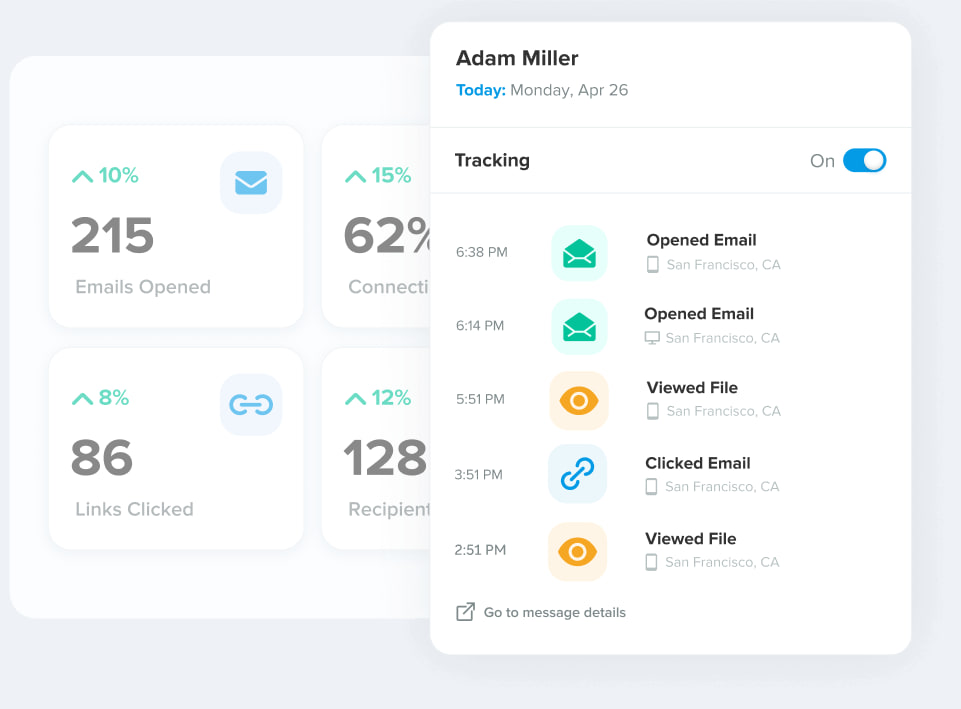
Recent Chrome Web Store reviews add the bigger problem. In February 2026 a reviewer wrote that "YesWare assets are now included in uBlock/open-source spam block lists, so the pixel is just blocked from loading at all," and that the toolbar "frequently doesn't load at all when Gmail opens." In April 2026 a long-time user said "it tracks about half as many emails as it used to."
No pixel tracker is exempt from this. Apple Mail Privacy Protection preloads images and reports opens that never happened, and corporate image blocking hides real ones. So treat a Yesware open as a hint. Link clicks and attachment views are the stronger signals, and they are the reason to pay for Pro over the free plan.
Gmail gets more than Outlook
Yesware is one of the few tracking tools that takes Outlook seriously. Most of the competition is Gmail-only. Even so, Outlook users get less. The pricing table marks Reminders, Send Later, Copy to most CRMs, and LinkedIn or custom campaign steps as Gmail only. BCC to CRM (Pipedrive, SugarCRM, Capsule, Zoho) is Gmail-only on its dedicated docs page, even though the Salesforce page says otherwise.
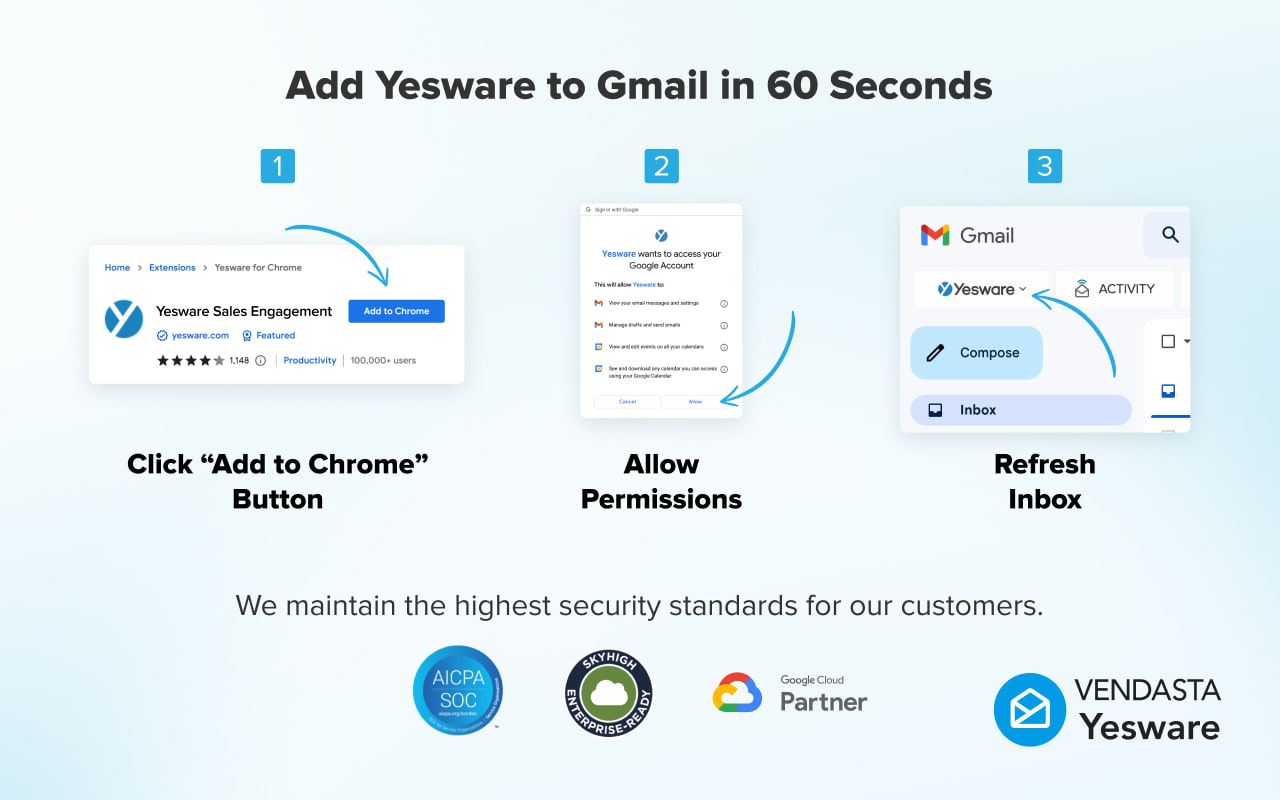
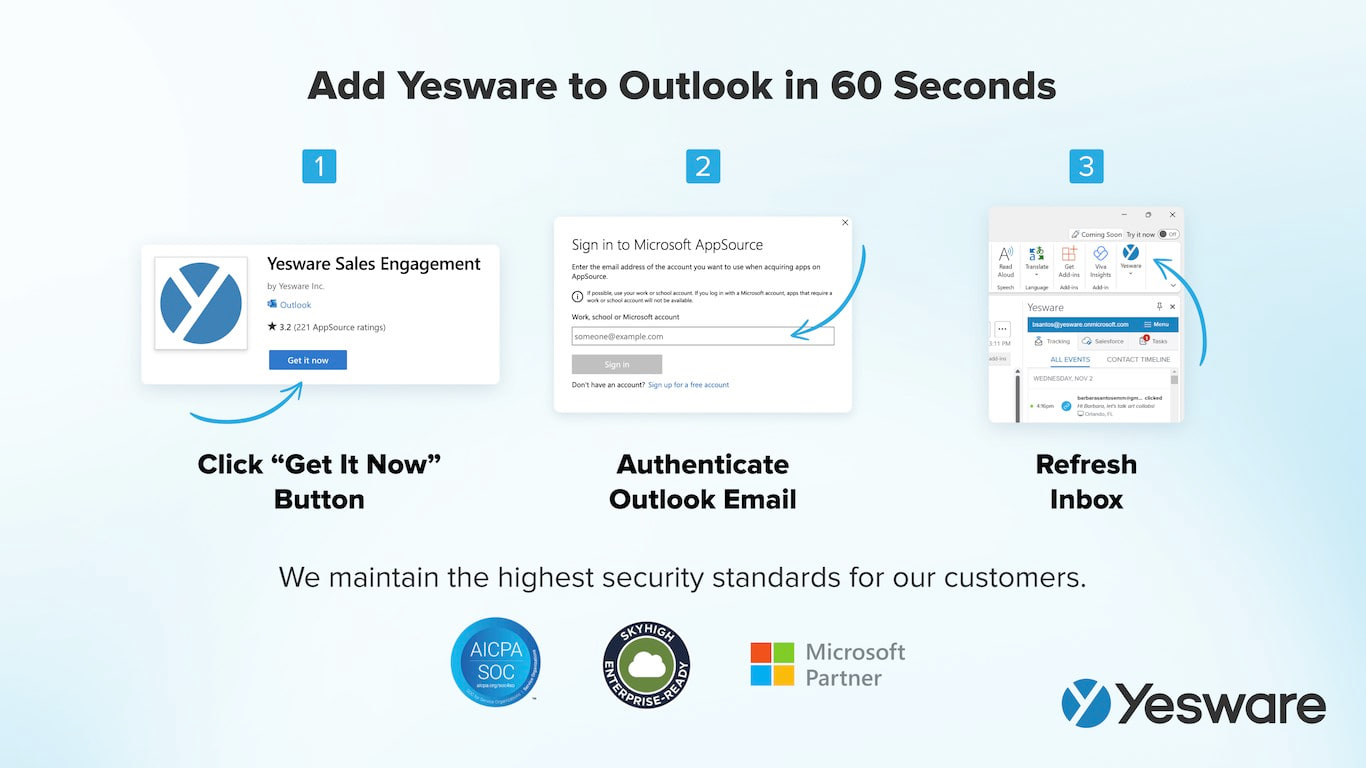
The setup requirements narrow things further. On Gmail you need the current Chrome and a Google-hosted account. On Outlook you need Microsoft 365 hosted directly by Microsoft, so a GoDaddy-hosted mailbox is out. Mac users have to switch to the legacy Outlook experience, and that setting resets after 30 days. In Outlook on the web, the Yesware sidebar has to be open for tracking to work. Microsoft SmartAlerts can insert tracking when the add-in has not loaded.
Three gaps apply to both. There is no mobile app, so a reply sent from your phone is untracked. Alias and Send As addresses are not supported. And Yesware does not offer a public API, so anything the built-in integrations do not cover stays manual.
CRM: Salesforce costs Enterprise, and HubSpot is missing
Salesforce sync is the main reason to buy Enterprise at $65 a seat. It covers the inbox sidebar, syncing sent emails, replies and calendar events, two-way activity sync, importing Salesforce list views into campaigns, and Salesforce single sign-on. On Free, Pro and Premium, Yesware works without Salesforce. The list view import is also Gmail only.
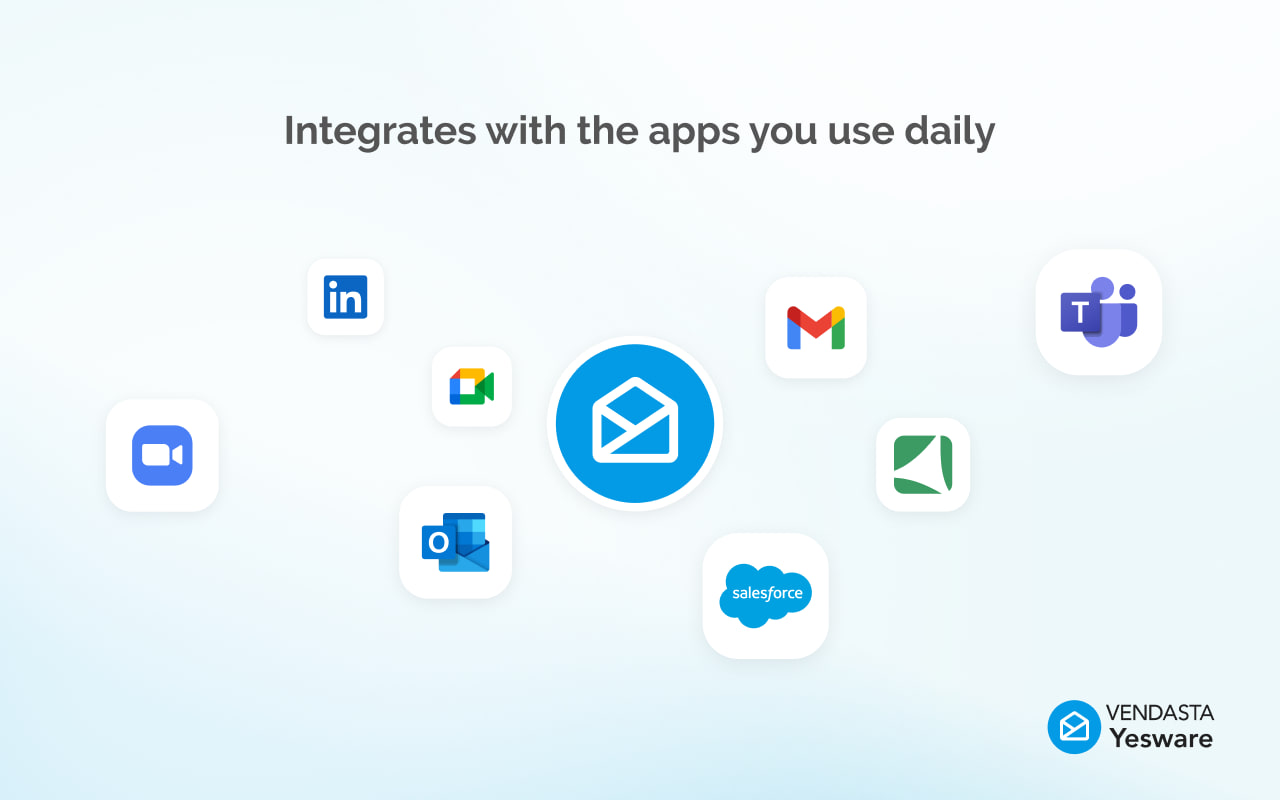
I found no native HubSpot integration. The other integrations are DocSend, Clari, LinkedIn Sales Navigator, Zoom, Microsoft Teams and RingCentral. Vendasta CRM syncs automatically, which makes sense now that Vendasta owns the product and has sold Yesware Premium through its marketplace since February 2025.
Leaving is easy. Contacts export directly, and template activity downloads as CSV for up to 365 days. Premium and Enterprise add a monthly account activity report covering the last 13 complete months. I found no documented way to export the template text itself, so copy your best templates out before you cancel. On security, Yesware has a SOC 2 Type 2 report and offers a SOC 3 report without an NDA. Its subprocessor list is available on request.
Who should pick something else
If you are on Gmail and only want to know who opened what, Mailtrack costs $6.99 a user per month and has no 24-hour limit. Right Inbox starts at $7.95 to $9.95 a month and adds send-later and reminders to Gmail. Both are cheaper than Yesware Pro and do most of what solo users want from it.
Teams that want sequences in Gmail should look at Mixmax. It has a free tier, and its cheapest paid plan is $29 a month billed yearly. For high-volume cold outreach, Mailshake starts around $29 a month and is built for sending at scale. Yesware sends through your own mailbox, about 10 to 15 seconds apart, within Google Workspace's usual 2,000-a-day limit or Microsoft 365's 10,000 recipients a day. Premium also caps each campaign at 5,000 recipients.
HubSpot users should skip Yesware entirely. Without a native integration, logging every email becomes a manual job.
Verdict
Buy Yesware Enterprise if your sales team lives in Outlook and Microsoft 365, reports into Salesforce, and wants tracking, templates and campaigns in one sidebar. Few tools cover Outlook this well. Buy Premium at $35 a seat if a small team wants shared templates and light campaigns without a CRM. That tier is where Yesware makes sense on price.
Skip it if you are one Gmail user who wants open alerts: Mailtrack does that for less than half of Pro. Skip it for cold outbound at volume, and skip it on HubSpot. Whatever plan you pick, read open counts loosely, since blockers now stop Yesware's pixel more often than they used to. Use the 14-day trial to see how many of your own opens it actually catches before you pay for a year, because there are no refunds.
Ready to try Yesware?
Visit the official website to see the latest plans, pricing, and special offers.
Get Started - Yesware* Affiliate link - we may earn a commission at no extra cost to you.