Pabbly Connect review: how its free triggers and internal steps stretch 10,000 tasks for $19, what the 'Unlimited' and $349 lifetime plans really include, and who should pick Zapier or Make instead.
Pabbly Connect sells one idea harder than any feature: you pay for actions, and almost nothing else. Its pricing page says it plainly - "Triggers are not included in the task count. Only action steps are included." The free list goes further than most rivals: Filter, Router, Text Formatter, Number Formatter, Schedule, Iterator, Date/Time formatter, Email Parser, JSON Extractor and Array Functions all run without touching your balance.
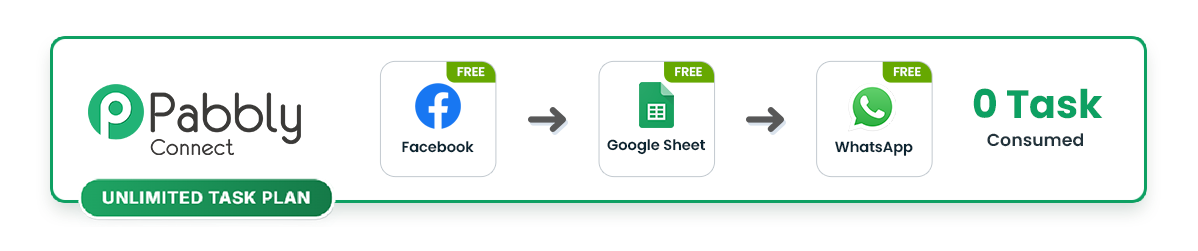
Take a common lead-capture flow. A new Facebook lead arrives, a filter drops the junk, a router splits the rest, and each qualified lead becomes a Google Sheets row and a WhatsApp message. Pabbly bills that as 2 tasks per lead. On the $19 Standard plan's 10,000 tasks, that is 5,000 leads a month before you think about upgrading.
Polling is free too. Pabbly's own example: a trigger that checks every 5 minutes makes 288 checks a day, and "Pabbly Connect does not charge for operations." Tools that bill every check make you pay for empty polls; Pabbly does not.
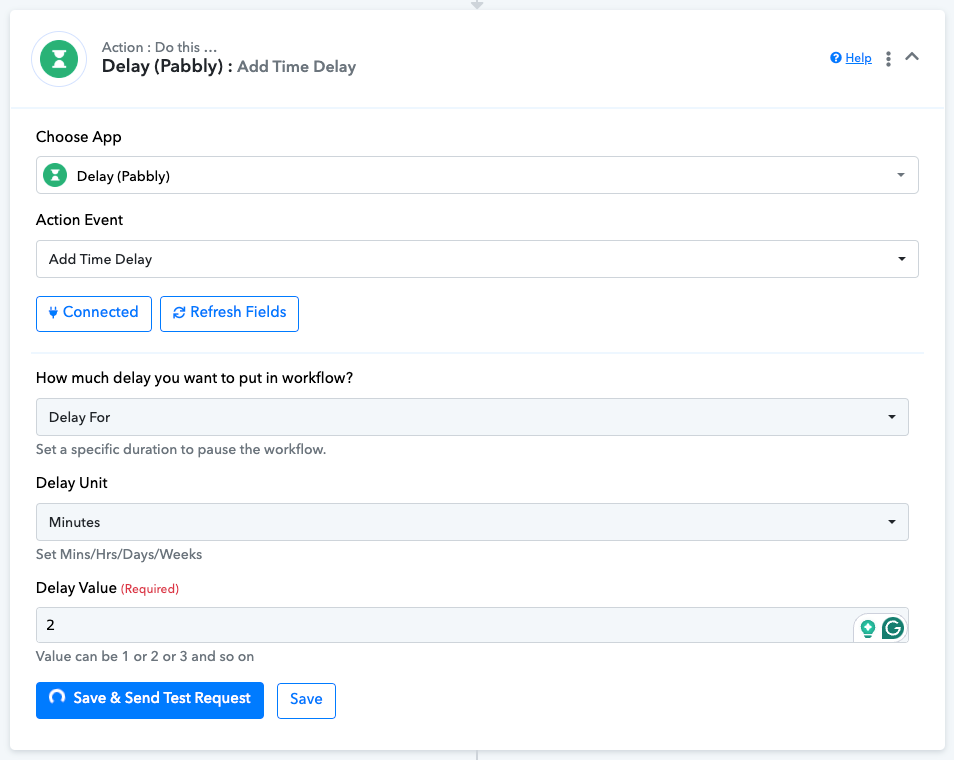
Two catches the headline skips. Delay is not on the free list, so a workflow that waits a day before a follow-up pays for that step. And tasks expire: the terms say they are "valid for 30 days" and "won't carry over." A quiet month does not bank credit for a busy one.
Pabbly has no separate pricing page - the plans sit on the Connect homepage. These are the USD prices checked on pabbly.com in September 2026 (visitors from India see rupee prices instead):
| Plan | Tasks a month | Monthly billing | Yearly billing |
|---|---|---|---|
| Free | 100 | $0, no card | - |
| Standard | 10,000 (stackable) | $19/mo | $194/yr (about $16/mo) |
| Unlimited | "Unlimited" (see below) | $79/mo | $828/yr (about $69/mo) |
Longer terms cut the rate further: Standard is $365 for two years or $513 for three, Unlimited $1,560 or $2,124. The billing tabs advertise 15%, 20% and 25% off for one, two and three years; a stale FAQ line on the same page still promises 25% for a single year, so trust the tab.
Every paid plan gets multi-step workflows with no step cap, unlimited routers, instant webhooks and every "premium" app, which Zapier reserves for paid tiers. Need more than 10,000 tasks without jumping to $79? Pabbly lets you buy several Standard plans and stack them - its own slider prices 20,000 tasks at $33 a month on annual billing.
The limit that bites small teams is seats. The Standard card says "You won't be able to access the team member feature in the monthly plans," and only Unlimited lists team members at all. If two people need to edit workflows, budget for $79, not $19.
There is a 30-day money-back guarantee, minus the payment gateway's transaction fee. Cancelling is done by emailing support; there is no cancel button described anywhere on the page.

Not unlimited. Section 3.27 of Pabbly's terms: "You will initially receive 100,000 tasks in your Pabbly Connect account. Once your task limit is reached, you can manually reset your tasks from your end once per day." A Pabbly staffer on the forum in December 2025 added that the reset is available "once 80% of your allotted tasks are consumed."
In practice that gives a hard ceiling of roughly 100,000 tasks per day, which is more than most small businesses will ever run. The friction is the manual part: someone has to log in and press reset, and a workflow that burns through its balance overnight stops until they do. When the plan launched in August 2025, one forum user wrote that it "doesn't make any sense at all to have to reach out to you every time we reach 100K tasks" and threatened to cancel.
The bigger restriction is in the same clause: the plan is "intended for one business only." Agencies running automations for clients need a separate account per client, which turns a $79 plan into $79 a client.
Pabbly is the only automation tool we review that still sells lifetime access, labelled a "[LIMITED TIME OFFER]" in September 2026. Three tiers, one payment each:
| Lifetime tier | One-time price | Tasks a month | Support |
|---|---|---|---|
| Standard | $349 | 3,000, "subject to feature restrictions" | None |
| Ultimate | $799 | 10,000, all features | None |
| Ultimate Plus | $1,298 | 20,000, all features | 1 year, then paid |
The $349 tier is not the $19 Standard plan paid once. It carries under a third of the tasks, and the page never says which features are restricted. The honest comparison is the $799 Ultimate tier against Standard at $194 a year: you break even after about four years, assuming Pabbly is still running and the product still fits.
The fine print is where lifetime buyers get stuck. "Stacking is not available," you "will not be able to upgrade to any other one-time payment plans," and you cannot change the account email. Support is excluded on Standard and Ultimate; Ultimate Plus gets a year, after which a renewal costs a third of the original price - about $433. The plan cards are headed "1 Year Customer Support" while saying support "is not included," and the terms cap lifetime purchases at 10,000 tasks even though a 20,000-task tier is on sale. Screenshot the checkout page before you pay.
The free plan is permanent and needs no card: 100 tasks a month and two workflows of two steps each. (The same card also claims "Unlimited Workflows," which contradicts the line above it.) Two steps means a trigger and one action - no filter, no router, nothing that shows off the free internal steps.
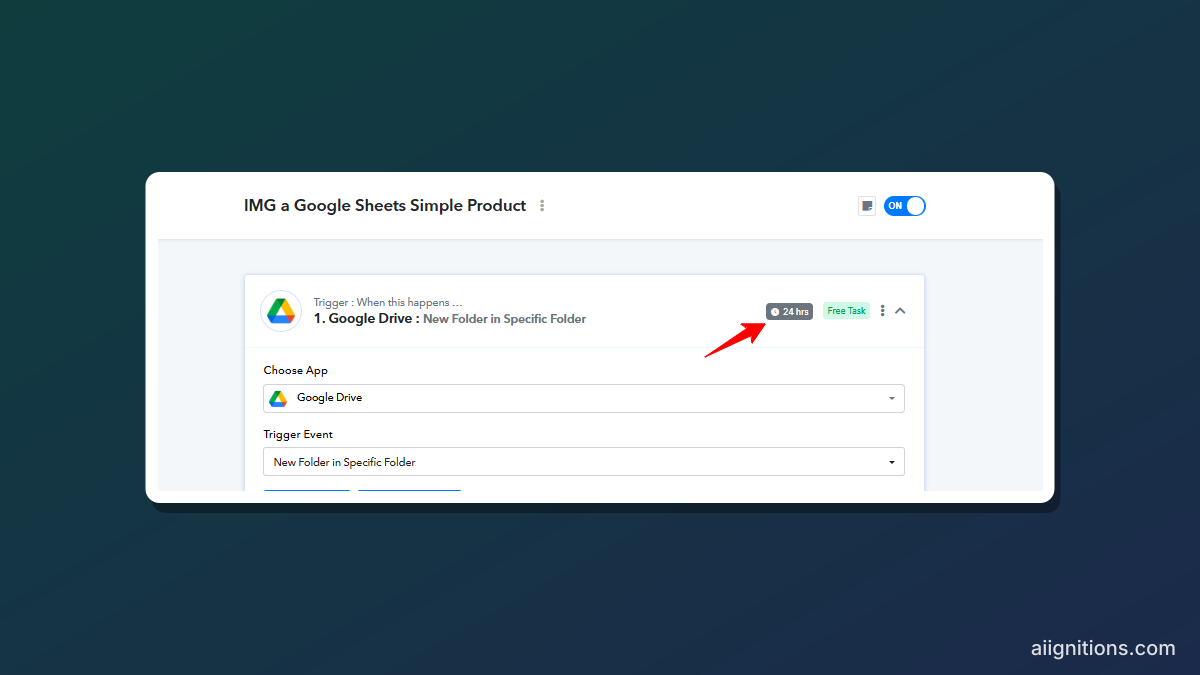
The real limit is timing. Polling triggers on the free plan check once every 24 hours. A Pabbly staffer explained it to a user in April 2025: the trigger "has a polling time of 24 hours," and dropping it "to as low as 10 minutes" needs a paid plan. A new Google Drive folder can sit unnoticed for a day. Instant webhooks, which skip polling entirely, are also a paid-plan feature. Use the free tier to look at the builder, not to run anything that matters.
Pabbly lists 2,000+ integrations, with webhooks for the rest. One Capterra reviewer put it simply: "It integrates with pretty much everything, either by native integration or webhook." The newer features are real, too: JavaScript and Python code steps, a human-in-the-loop approval step, automatic re-runs of failed and skipped steps, an AI Assistant module and an MCP server that lets clients such as Claude trigger workflow actions.
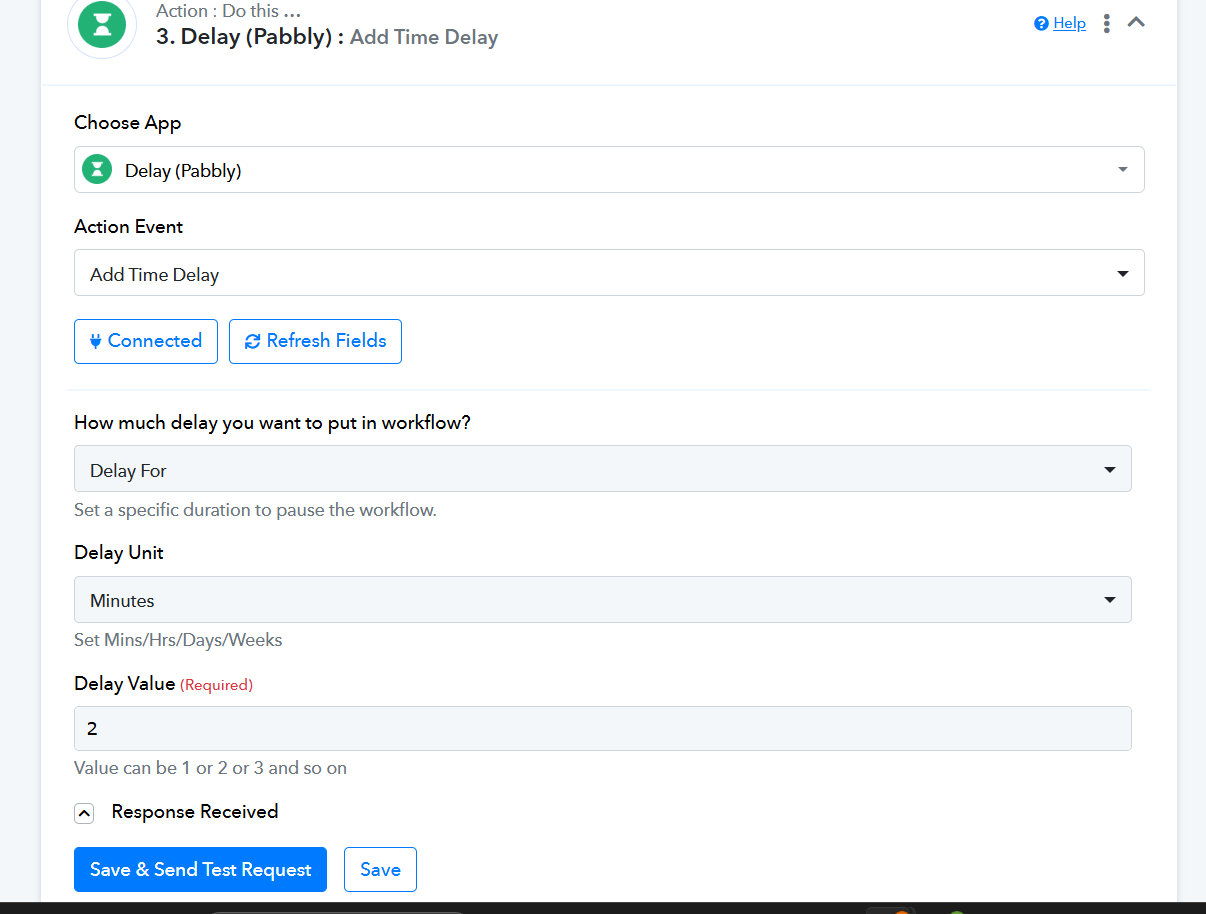
The builder is a vertical list of numbered steps, each tested in place, with the response shown underneath to map fields from. It works, but it is slower to read than Make's canvas once a workflow has several router branches. Ease of use is the recurring complaint: one Capterra reviewer found that "the UX is not user friendly and required us to contact support multiple times to get the product setup right." Capterra's scores back that up - 4.5 out of 5 overall from 86 reviews, but 4.2 for ease of use, checked in September 2026.
Reliability and history are thinner than at the big names. Pabbly acknowledged "server downtime that affected multiple polling-based services" on December 8, 2025, taking Scheduler, Polling, Delay and Auto-Retry down for about eight and a half hours, with a second two-hour gap the next morning. And a Pabbly tutorial from February 2026 says task history is kept for 15 days, which is short if you debug by looking back at last month's runs.
Behind it is Magnet Brains Software Technology, a team of 70+ in Bhopal, India, founded by Pankaj and Neeraj Agarwal, with a US entity in Delaware. Pabbly says it is SOC 2 Type 2 and ISO 27001:2022 certified. Its Trustpilot score, covering every Pabbly product, is 3.9 from 90 reviews; the complaints include lifetime features that "don't work" and a renewal charge of over $200 "without any meaningful warning." Set a calendar reminder before an annual plan renews.
Buy it if you run high-volume, branch-heavy workflows for one business and price is the deciding factor. Free triggers, free routers and free formatters make Pabbly's 10,000 tasks go further than the same number anywhere else, and $69 a month on annual billing for a 100,000-task daily ceiling is hard to beat.
Skip it if your team needs more than one editor on a budget, if you build for agency clients, or if you want someone to answer when a workflow breaks. Zapier costs more per task but has the largest app library and proper support. Make gives you a visual canvas that handles complex branching far better. If you have a server and want no task bill at all, self-host n8n or Activepieces. Our workflow automation roundup compares them side by side.
The lifetime deal suits one buyer: someone whose workflows are small, stable and already built, who never expects to call support. For everyone else, start on Standard monthly, watch the task counter for a month, and only then commit to a year.
Visit the official website to see the latest plans, pricing, and special offers.
Get Started - Pabbly Connect* Affiliate link - we may earn a commission at no extra cost to you.